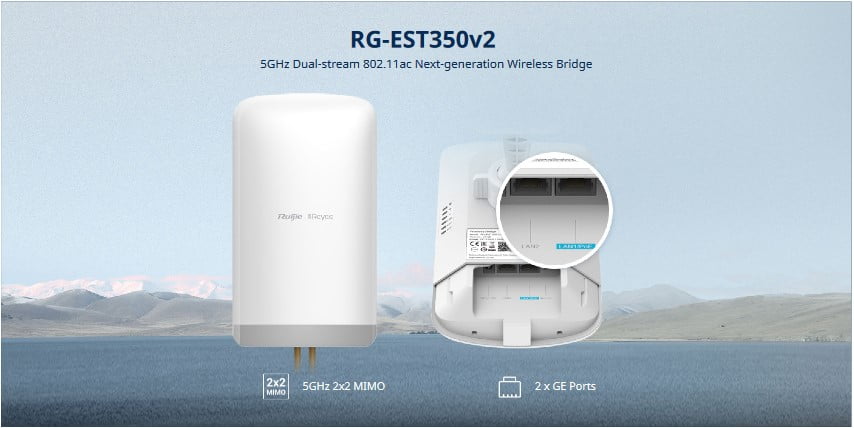
Why We Need a Wireless Bridge
In our increasingly connected world, reliable network access is essential — whether it’s for homes, offices, or large facilities. But sometimes running Ethernet cables between buildings, floors, or distant rooms just isn’t practical. That’s where a wireless bridge comes in.
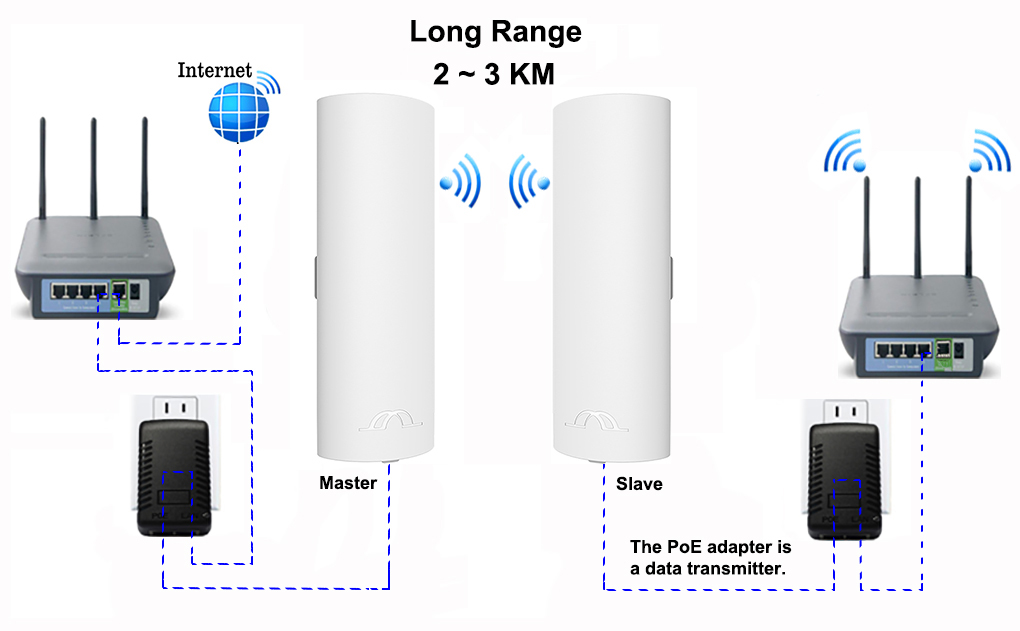
A wireless bridge is like a “virtual cable” that connects two or more networks wirelessly. It allows data to flow between them just as if they were connected by Ethernet — saving time, money, and effort.
 What Is a Wireless Bridge and How Does It Work?
A wireless bridge connects two wired networks or devices over Wi-Fi. Think of it as linking two routers or switches so they share the same network without cables in between.
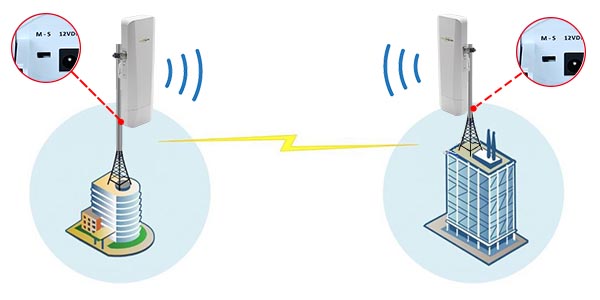
For example, if you have a main office with internet access and a second building nearby, a wireless bridge can connect the two. Both buildings will then share the same network connection wirelessly.
 When Should You Use a Wireless Bridge?
Wireless bridges are especially useful when:
Connecting separate buildings (like an office and warehouse) without digging or wiring.
Extending your wired network to another floor or area where running cables is hard.
Giving wired-only devices (like printers or older computers) wireless access.
Setting up temporary networks for events, exhibitions, or outdoor locations.
 Bridge vs. Range Extender — What’s the Difference?
A range extender simply boosts your Wi-Fi signal to cover more area — it helps wireless devices connect further away.
A wireless bridge, on the other hand, connects two networks or wired devices together over Wi-Fi.
So if you want to connect two routers or give wired devices wireless access — you need a bridge, not an extender.
 What Devices Benefit from a Wireless Bridge?
Almost any Ethernet-based device can benefit:
Desktop computers and printers
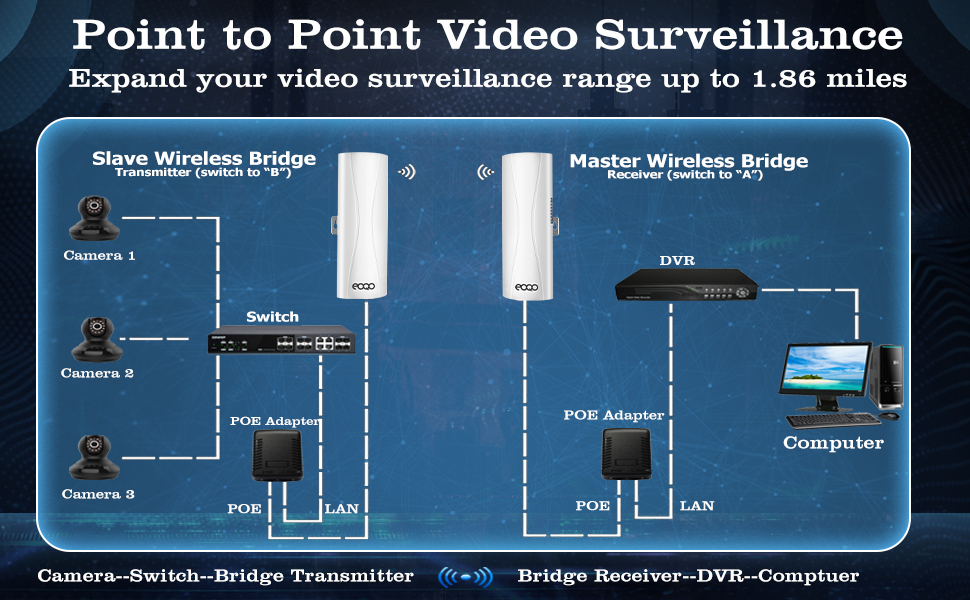
Security cameras and NVR systems
Smart TVs, gaming consoles, or network switches
If it uses an Ethernet port, a wireless bridge can make it part of your Wi-Fi network.
 Is It Hard to Set Up?
Most modern wireless bridges are easy to set up. Many routers even have a “bridge mode” built in. You typically:
Connect the bridge device to your main Wi-Fi.
Plug in the wired device or switch.
Configure the connection through the device’s interface.
Once set up, it works automatically — no cables, no mess.
 Why You Need One
Wireless bridges are practical, flexible, and cost-efficient. They help you:
Eliminate long cable runs
Connect multiple buildings or areas
Keep old wired devices relevant
Build a cleaner, more adaptable network
 Final Thoughts
A wireless bridge is a simple yet powerful solution for expanding your network without extra cabling. Whether you’re linking two buildings, extending your wired network, or bringing older devices online, it keeps your connections strong and seamless — all through the air. Ruijie Wireless bridge provides pre paired system (EST350, EST310, EST330) making a quick and easy instalaltion