Posted on Leave a comment

Wireless Bridge

In today’s connected world, having seamless internet access across all areas of your home, office, or business is no longer a luxury — it’s a necessity. But what happens when running Ethernet cables between buildings or across long distances isn’t practical or cost-effective? That’s where a wireless bridge comes in.

A wireless bridge acts as a link between two or more networks, allowing data to flow wirelessly just as it would through physical cables. It’s a smart, efficient solution for extending your network’s reach, connecting multiple locations, or giving wired devices wireless access — all without the clutter or cost of extra cabling.


In this blog, you’ll learn:

  • What exactly a wireless bridge is and how it works

  • The different scenarios where a wireless bridge is most useful

  • The benefits of using a wireless bridge compared to traditional wired connections

  • How it helps businesses and homes expand their networks efficiently

You’ll also find answers to questions such as:

  • How is a wireless bridge different from a range extender or repeater?

  • Can I use a wireless bridge to connect two buildings?

  • What types of devices can benefit from a wireless bridge?

  • Is it difficult to set up and secure a wireless bridge?

By the end of this article, you’ll have a clear understanding of why wireless bridges are becoming an essential part of modern networking — especially when flexibility, cost-efficiency, and reliability matter most.

Why We Need a Wireless Bridge

In our increasingly connected world, reliable network access is essential — whether it’s for homes, offices, or large facilities. But sometimes running Ethernet cables between buildings, floors, or distant rooms just isn’t practical. That’s where a wireless bridge comes in.

A wireless bridge is like a “virtual cable” that connects two or more networks wirelessly. It allows data to flow between them just as if they were connected by Ethernet — saving time, money, and effort.


🔍 What Is a Wireless Bridge and How Does It Work?

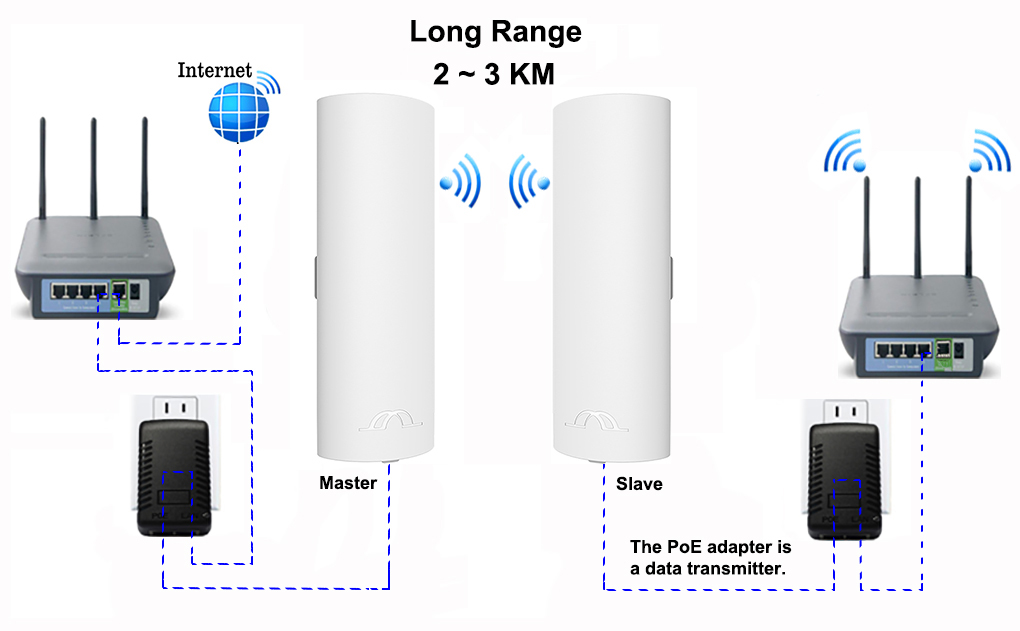
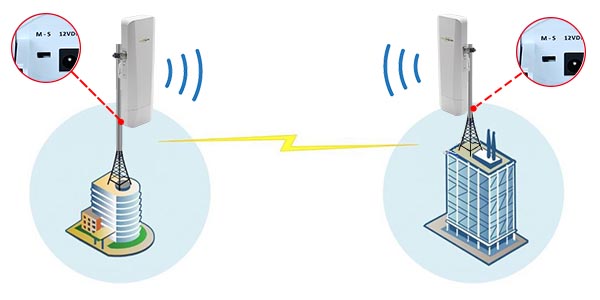
A wireless bridge connects two wired networks or devices over Wi-Fi. Think of it as linking two routers or switches so they share the same network without cables in between.

For example, if you have a main office with internet access and a second building nearby, a wireless bridge can connect the two. Both buildings will then share the same network connection wirelessly.


🏢 When Should You Use a Wireless Bridge?

Wireless bridges are especially useful when:

  • Connecting separate buildings (like an office and warehouse) without digging or wiring.

  • Extending your wired network to another floor or area where running cables is hard.

  • Giving wired-only devices (like printers or older computers) wireless access.

  • Setting up temporary networks for events, exhibitions, or outdoor locations.


⚖️ Bridge vs. Range Extender — What’s the Difference?

A range extender simply boosts your Wi-Fi signal to cover more area — it helps wireless devices connect further away.
A wireless bridge, on the other hand, connects two networks or wired devices together over Wi-Fi.

So if you want to connect two routers or give wired devices wireless access — you need a bridge, not an extender.


💡 What Devices Benefit from a Wireless Bridge?

Almost any Ethernet-based device can benefit:

  • Desktop computers and printers

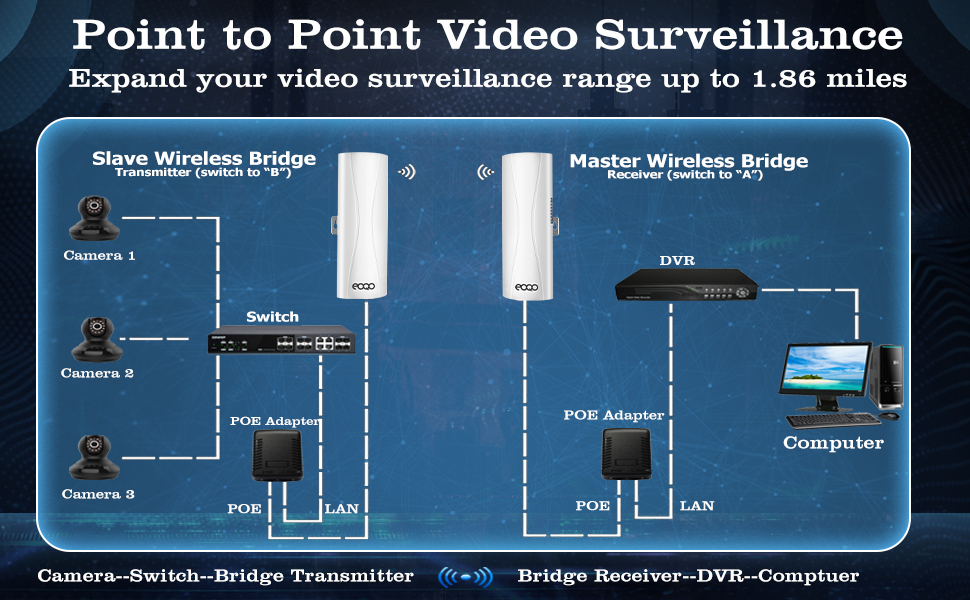
  • Security cameras and NVR systems

  • Smart TVs, gaming consoles, or network switches

If it uses an Ethernet port, a wireless bridge can make it part of your Wi-Fi network.


🔧 Is It Hard to Set Up?

Most modern wireless bridges are easy to set up. Many routers even have a “bridge mode” built in. You typically:

  1. Connect the bridge device to your main Wi-Fi.

  2. Plug in the wired device or switch.

  3. Configure the connection through the device’s interface.

Once set up, it works automatically — no cables, no mess.


✅ Why You Need One

Wireless bridges are practical, flexible, and cost-efficient. They help you:

  • Eliminate long cable runs

  • Connect multiple buildings or areas

  • Keep old wired devices relevant

  • Build a cleaner, more adaptable network


🏁 Final Thoughts

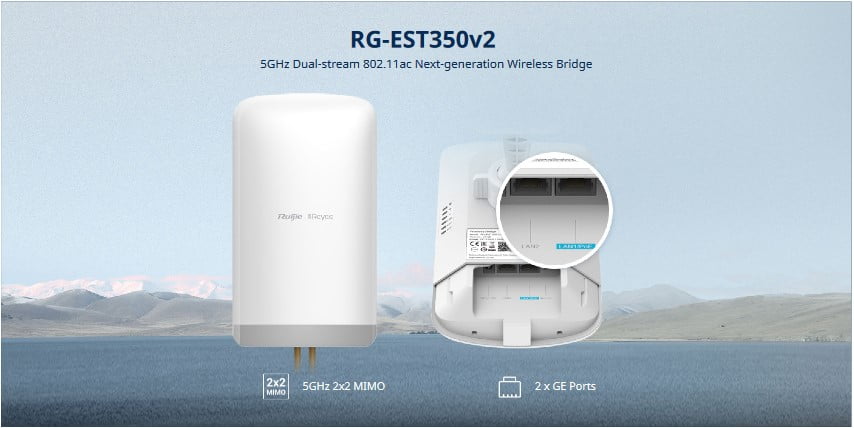
A wireless bridge is a simple yet powerful solution for expanding your network without extra cabling. Whether you’re linking two buildings, extending your wired network, or bringing older devices online, it keeps your connections strong and seamless — all through the air. Ruijie Wireless bridge provides pre paired system (EST350, EST310, EST330) making a quick and easy instalaltion


Related Products

Recent News

Hikvision or Dahua- Which is better?

Dahua vs Hikvision: Which Should You Choose? If you’re speccing a CCTV job in 2026, chances...

Ruijie Solar Switch

Outdoor Solar Networking, Sorted: The Ruijie Reyee RG-ES207GS-AC-OD Brand voice applied: confident...

Ruijie Industrial Switch/Router

Ruijie Industrial Switches – NIS2K & NIS3100 Series As an authorized networking distributor, we...

Milesight with NX Witness

Introducing Milesight We are proud to supply and support the complete range of Milesight CCTV and...
Posted on Leave a comment

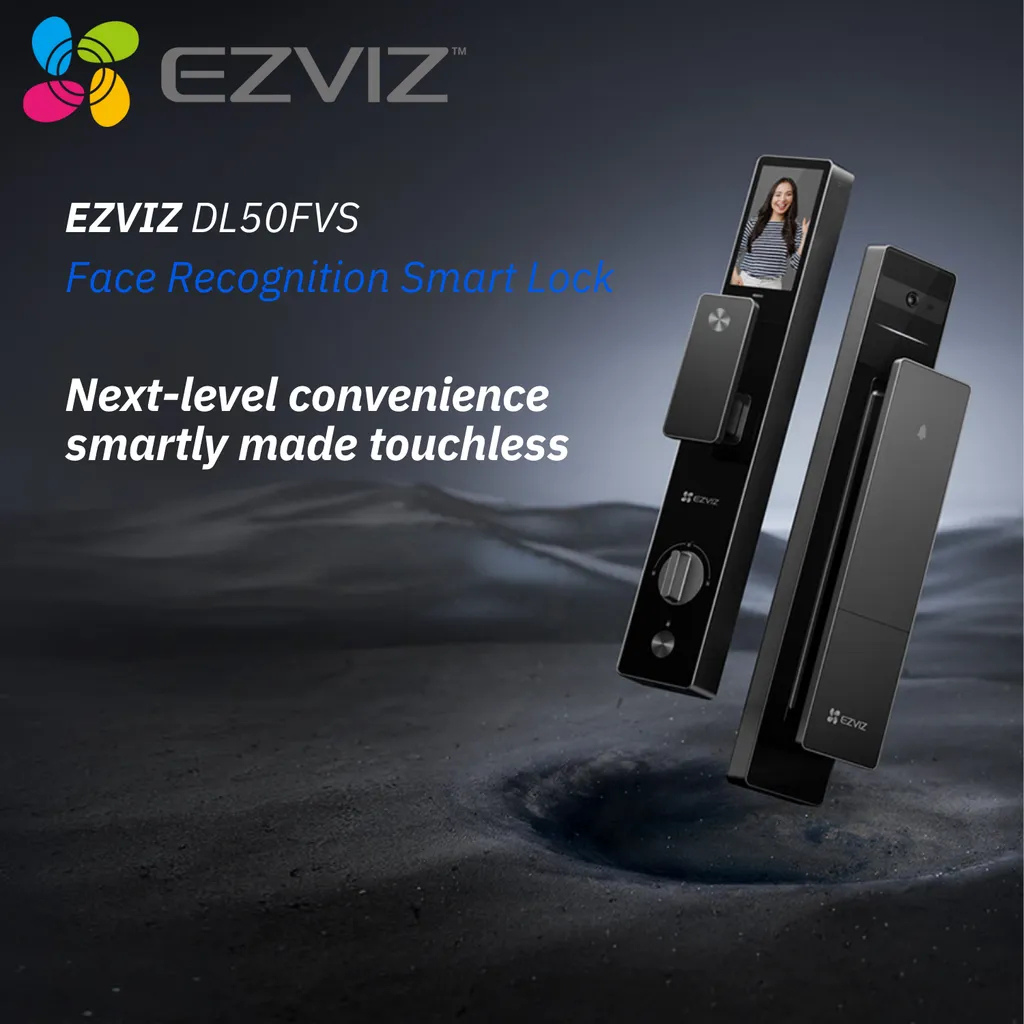
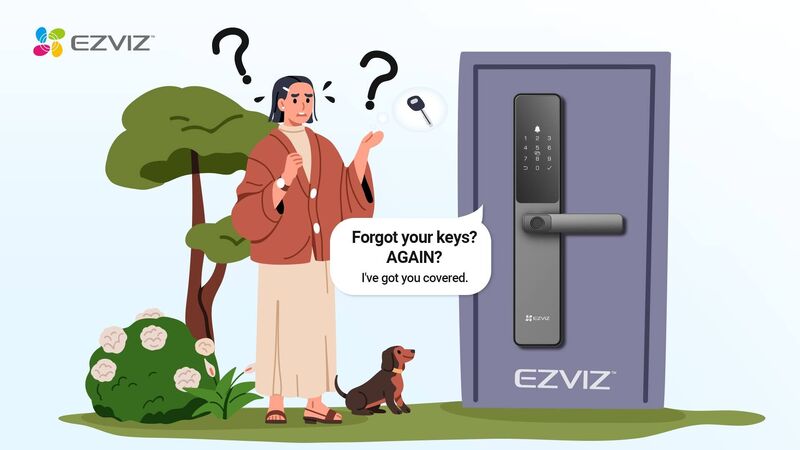
EZVIZ Smart Locks

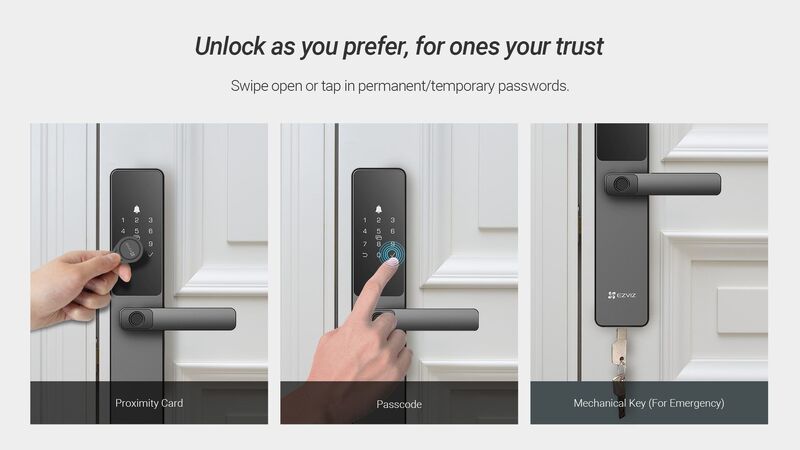
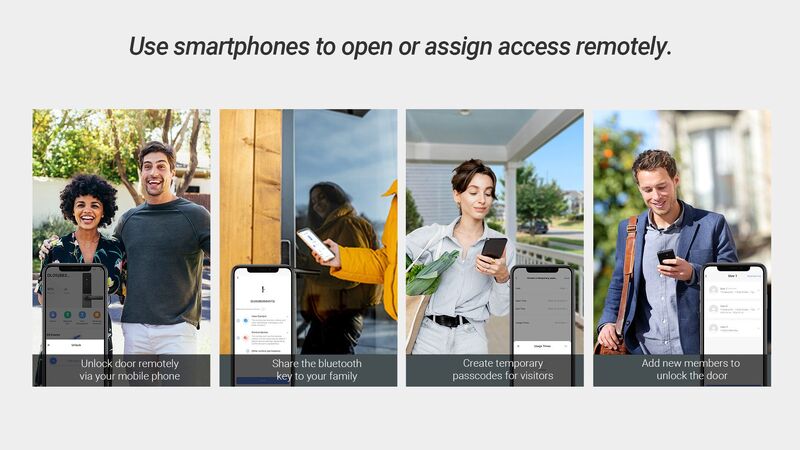
Keyless, Effortless, Seamless Ditch the keys and unlock in an instant!

The EZVIZ DL05 Smart Lock offers ultra-smooth, keyless entry for a hassle-free, modern lifestyle.

BUY IT HERE !!! https://secuwatch.com.au/product/product-251

🙌 Contact us: sales@secuwatch.com.au | www.secuwatch.com.au

📑 Learn more about the solution:

https://lnkd.in/gUWUwfsG

Recent News

Hikvision or Dahua- Which is better?

Dahua vs Hikvision: Which Should You Choose? If you’re speccing a CCTV job in 2026, chances...

Ruijie Solar Switch

Outdoor Solar Networking, Sorted: The Ruijie Reyee RG-ES207GS-AC-OD Brand voice applied: confident...

Ruijie Industrial Switch/Router

Ruijie Industrial Switches – NIS2K & NIS3100 Series As an authorized networking distributor, we...

Milesight with NX Witness

Introducing Milesight We are proud to supply and support the complete range of Milesight CCTV and...
Posted on Leave a comment

Hikvision Acuseek

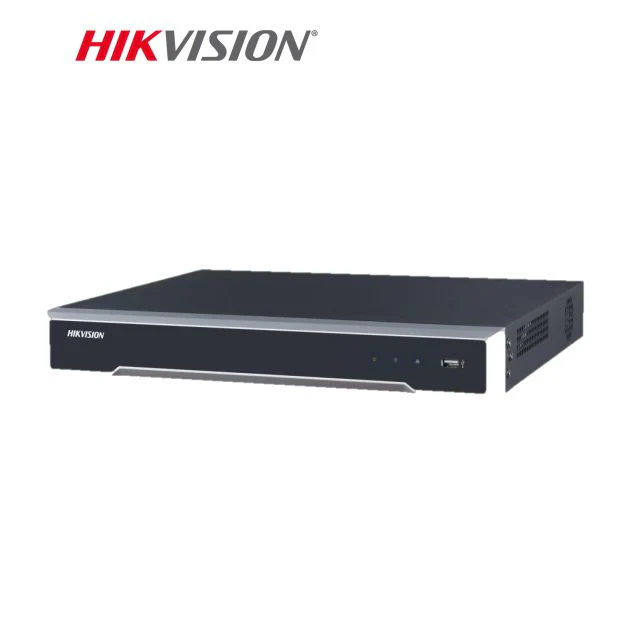
Hikvision AcuSeek brings natural language search to NVRs. Instead of scrubbing through hours of footage, type what you need to find, for example “man in a white shirt” or “red SUV”, and get results in seconds. AcuSeek works from the NVR interface, the Hik-Connect mobile app, and the HikCentral Professional client, so you can support customers on site or remotely with the same process.

Key benefits for installers

  • Find clips in seconds using plain English searches.

  • Reduce call outs and investigation time for common incidents.

  • Use the same search on NVR, Hik-Connect, and HikCentral.

  • Search for vehicles, people, clothing colors, and frequent actions.

  • Ship a solution backed by Hikvision’s three year warranty and global support.

How AcuSeek works

AcuSeek uses large multimodal AI models that encode both text and video frames. When you type a description, the NVR matches it to the right frames and surfaces the closest clips. Results appear in a few seconds, even on busy systems.

Real world applications

  • Traffic and transport: locate specific vehicles or incidents quickly.

  • Workplace safety: surface PPE issues such as no helmet or no high vis.

  • Critical incidents: search for suspicious behavior or objects in seconds.

  • Education and campuses: identify unauthorised activities such as fence climbing.

  • Industrial and logistics: speed up audits across large sites.

Access across platforms

  • NVR local GUI for on site review.

  • Hik-Connect app for mobile response.

  • HikCentral Professional for control room workflows.

Why choose Hikvision AcuSeek NVRs

  • Proven AI search that improves response times.

  • Simple user experience that customers can learn in minutes.

  • Scalable across new installs and upgrades.

  • Backed by a three year warranty and global support network

Recent News

Hikvision or Dahua- Which is better?

Dahua vs Hikvision: Which Should You Choose? If you’re speccing a CCTV job in 2026, chances...

Konec and Hikvision Openday

Open Day Recap: Hikvision 180° ColorVu, Intercom & HiLook PTZ On 14 August we ran our latest...

Ruijie Solar Switch

Outdoor Solar Networking, Sorted: The Ruijie Reyee RG-ES207GS-AC-OD Brand voice applied: confident...

IGA Dahua CVI System

IGA Supermarket — AI-Enabled Recorder Upgrade The Challenge The IGA’s existing XVR was doing...
Posted on Leave a comment

Akuvox Solutions

We’ve added support for more models in our 𝘀𝗺𝗮𝗿𝘁 𝗶𝗻𝘁𝗲𝗿𝗰𝗼𝗺 𝗰𝗹𝗼𝘂𝗱 𝘃𝗶𝗱𝗲𝗼 𝘀𝘁𝗼𝗿𝗮𝗴𝗲 𝘀𝗼𝗹𝘂𝘁𝗶𝗼𝗻! Explore the highlights and supported models below 

◽️Automatic recording of various doorstep events, including package detection*. 
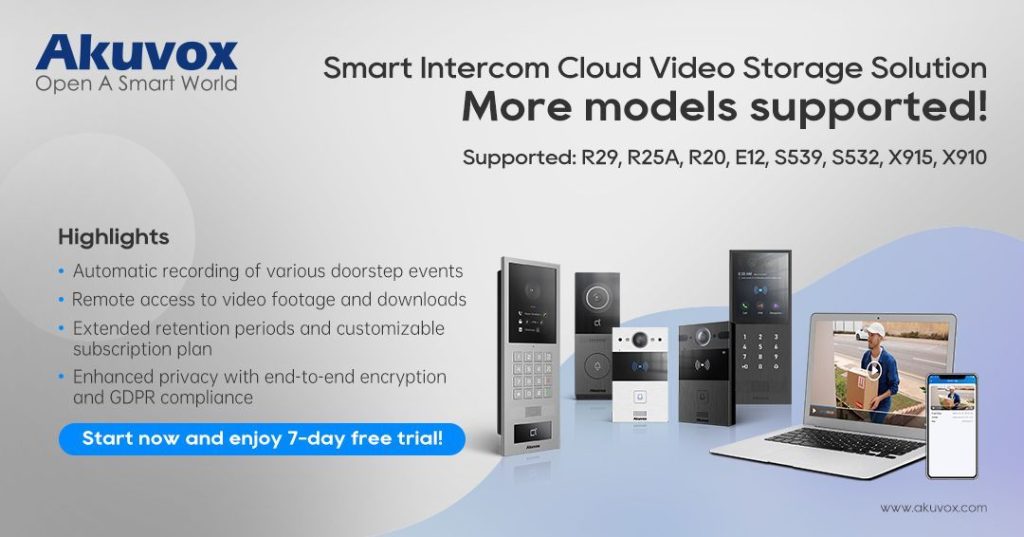
◽️Remote access to video footage with easy download options. 

◽️Extended retention periods and a customizable plan tailored for projects. 

◽️Enhanced privacy with end-to-end encryption and GDPR compliance.

*Package detection recording requires the Akuvox X910 single-button package detection door phone.

Discover seamless security with a 𝟳-𝗱𝗮𝘆 𝗳𝗿𝗲𝗲 𝘁𝗿𝗶𝗮𝗹. Sign up today to explore Akuvox’s cloud storage solution and protect your property effortlessly.

 – Platforms: SmartPlus Web Portal and Mobile App

 – Supported Models: R29, R25A, R20, E12, S539, S532, X915, X910

🙌 Contact us: sales@secuwatch.com.au | www.secuwatch.com.au

📑 Learn more about the solution:

https://lnkd.in/gUWUwfsG

Recent News

Hikvision or Dahua- Which is better?

Dahua vs Hikvision: Which Should You Choose? If you’re speccing a CCTV job in 2026, chances...

Ruijie Solar Switch

Outdoor Solar Networking, Sorted: The Ruijie Reyee RG-ES207GS-AC-OD Brand voice applied: confident...

Ruijie Industrial Switch/Router

Ruijie Industrial Switches – NIS2K & NIS3100 Series As an authorized networking distributor, we...

Milesight with NX Witness

Introducing Milesight We are proud to supply and support the complete range of Milesight CCTV and...
Posted on Leave a comment

Ruije RAP72

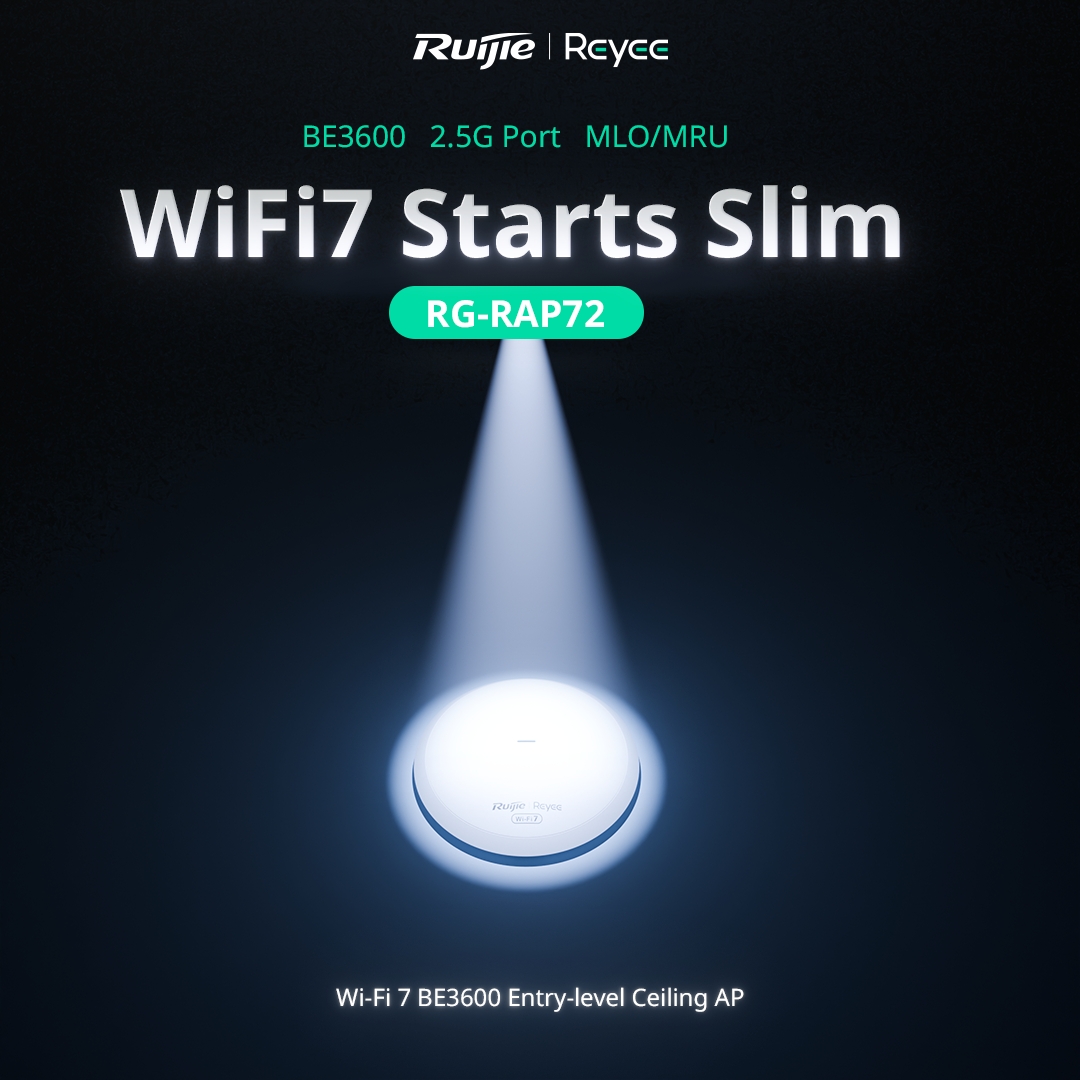
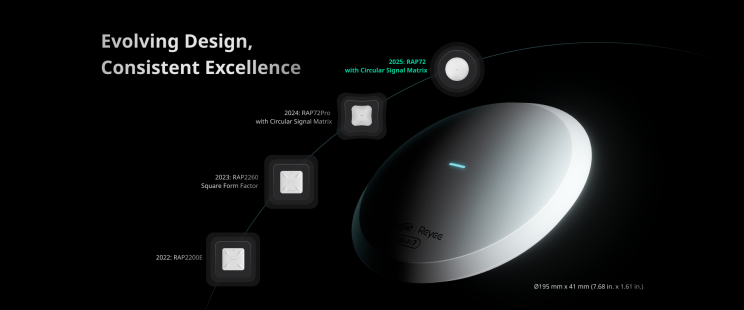
Ruijie Networks, a pioneer in scalable networking solutions, today announced the global availability of the RG-RAP72 BE3600 !
#WiFi7 #CeilingAccessPoint – engineered to overcome legacy wireless constraints with its #AI-powered cloud feature. Purpose-built for Villas, and smart enterprises, the RG-RAP72 harnesses full Wi-Fi 7 (802.11be) potential to deliver 3.6 Gbps* aggregate throughput, seamless roaming, and cutting-edge technologies without requiring 6GHz spectrum

#reyee #ruijie Ruijie Reyee Australia

Full article read it here: https://lnkd.in/gPC6ut7M

Buy RG – RAP72: https://secuwatch.com.au/product/product-320/

Buy RG – RAP72 Pro: https://secuwatch.com.au/product/product-319/

🙌 Contact us: sales@secuwatch.com.au | www.secuwatch.com.au

Recent News

Hikvision or Dahua- Which is better?

Dahua vs Hikvision: Which Should You Choose? If you’re speccing a CCTV job in 2026, chances...

Ruijie Solar Switch

Outdoor Solar Networking, Sorted: The Ruijie Reyee RG-ES207GS-AC-OD Brand voice applied: confident...

Ruijie Industrial Switch/Router

Ruijie Industrial Switches – NIS2K & NIS3100 Series As an authorized networking distributor, we...

Milesight with NX Witness

Introducing Milesight We are proud to supply and support the complete range of Milesight CCTV and...
Posted on Leave a comment

HiLook Alarm Training

HiLook Alarm Training with Hikvision – Practical, In-Depth, and Insightful

This week, we had the pleasure of hosting a hands-on training session focused on the HiLook alarm system, led by a technician from Hikvision. It was a valuable opportunity for our team to deepen their knowledge and get practical experience with system setup and integration.

The session covered:

🔹 Web and Keypad Configuration – We explored both setup methods in detail, giving us a clear understanding of how to configure the system efficiently, depending on the installation needs.

🔹 Multi-Keypad Integration – The training showed us how to connect the alarm to multiple keypads, making it easier to manage different zones or provide access to multiple users.

🔹 Wireless Receiver Setup – We also learned how to integrate a wireless receiver, which opens up flexible options for adding wireless sensors and expanding the system without running additional wiring.

Big thanks to the Hikvision team for providing such a thorough and engaging training. Sessions like this make a real difference in how we deliver reliable, well-integrated security solutions for our clients.

Recent News

Hikvision or Dahua- Which is better?

Dahua vs Hikvision: Which Should You Choose? If you’re speccing a CCTV job in 2026, chances...

Konec and Hikvision Openday

Open Day Recap: Hikvision 180° ColorVu, Intercom & HiLook PTZ On 14 August we ran our latest...

Ruijie Solar Switch

Outdoor Solar Networking, Sorted: The Ruijie Reyee RG-ES207GS-AC-OD Brand voice applied: confident...

IGA Dahua CVI System

IGA Supermarket — AI-Enabled Recorder Upgrade The Challenge The IGA’s existing XVR was doing...
Posted on Leave a comment

HiLook Introduction

HiLook is a proud sub-brand of Hikvision. It has been serving the Australian market for over six years. Dedicated to providing smart, reliable, and high-value security solutions. 💯 HiLook supports local homeowners, small businesses, and professional installers with technology you can trust. 👏

↓↓↓ This is our latest video about HiLook ↓↓↓

Recent News

Hikvision or Dahua- Which is better?

Dahua vs Hikvision: Which Should You Choose? If you’re speccing a CCTV job in 2026, chances...

Konec and Hikvision Openday

Open Day Recap: Hikvision 180° ColorVu, Intercom & HiLook PTZ On 14 August we ran our latest...

Ruijie Solar Switch

Outdoor Solar Networking, Sorted: The Ruijie Reyee RG-ES207GS-AC-OD Brand voice applied: confident...

IGA Dahua CVI System

IGA Supermarket — AI-Enabled Recorder Upgrade The Challenge The IGA’s existing XVR was doing...
Posted on Leave a comment

Hikvision Openday (New Hilook 6MP)

Get ready to harness the full potential of Hi-Look & Hik-vision Products! We are thrilled to have a Hikvision Open Day, where the spotlight will shine on technical training sessions dedicated to Hi-Look & Hik-vision Products. This exclusive event is designed to equip you with invaluable insights and skills to maximize your experience with our products. Whether you’re a seasoned expert or just starting out, our Open Day promises to be an enriching experience for all.

Agenda 12.00pm-12:15pm: New Hi-Look 6MP T263 introduction
12:15pm -12:45pm: TandemView PTZ Showcase
12:45pm-1.15pm: Hik-Teams / Hik-Central introduction
1.15pm-1.30pm: Thermal CCTV Overview
1:30pm-2:00pm: Solar Panel Solution
2:00pm-3:00pm: Lunch (Provided)During lunch you will have the opportunity to network withHi-Look & Hik-vision professionals. You may voice any questions at this time.

Recent News

Hikvision or Dahua- Which is better?

Dahua vs Hikvision: Which Should You Choose? If you’re speccing a CCTV job in 2026, chances...

Konec and Hikvision Openday

Open Day Recap: Hikvision 180° ColorVu, Intercom & HiLook PTZ On 14 August we ran our latest...

Ruijie Solar Switch

Outdoor Solar Networking, Sorted: The Ruijie Reyee RG-ES207GS-AC-OD Brand voice applied: confident...

IGA Dahua CVI System

IGA Supermarket — AI-Enabled Recorder Upgrade The Challenge The IGA’s existing XVR was doing...
Posted on Leave a comment

Open Day

In the ever-evolving world of surveillance and security, staying ahead requires not only cutting-edge technology but also a 

commitment to collaboration and shared knowledge. JJ SecuWatch, a trusted name in the industry, is excited to announce the HiLook Open Day – an event dedicated to unlocking the full potential of HiLook’s innovative solutions. As we gear up for this exclusive occasion, let’s delve into what makes the HiLook Open Day a must-attend for businesses seeking state-of-the-art security solutions.

Recent News

Hikvision or Dahua- Which is better?

Dahua vs Hikvision: Which Should You Choose? If you’re speccing a CCTV job in 2026, chances...

Konec and Hikvision Openday

Open Day Recap: Hikvision 180° ColorVu, Intercom & HiLook PTZ On 14 August we ran our latest...

Ruijie Solar Switch

Outdoor Solar Networking, Sorted: The Ruijie Reyee RG-ES207GS-AC-OD Brand voice applied: confident...

IGA Dahua CVI System

IGA Supermarket — AI-Enabled Recorder Upgrade The Challenge The IGA’s existing XVR was doing...
Posted on Leave a comment

Community Basketball Team

Community Basketball Team

JJ secuwatch is proudly sponsoring a local MBL team. As a company deeply committed to the growth and well-being of our local area, we couldn’t be more excited about this partnership! 

Basketball is more than just a game; it’s a platform for unity, teamwork, and personal development. It teaches valuable life skills such as discipline, leadership, and perseverance. By sponsoring the Fitzroy Suns, we are investing in the future of our community and helping young athletes reach their full potential both on and off the court.

We believe in the potential of Fitscray Suns, and with your support, we can help them achieve new heights. Let’s come together as a community, celebrate our local talent, and build a legacy of success for generations to come.

Recent News

Hikvision or Dahua- Which is better?

Dahua vs Hikvision: Which Should You Choose? If you’re speccing a CCTV job in 2026, chances...

Konec and Hikvision Openday

Open Day Recap: Hikvision 180° ColorVu, Intercom & HiLook PTZ On 14 August we ran our latest...

Ruijie Solar Switch

Outdoor Solar Networking, Sorted: The Ruijie Reyee RG-ES207GS-AC-OD Brand voice applied: confident...

IGA Dahua CVI System

IGA Supermarket — AI-Enabled Recorder Upgrade The Challenge The IGA’s existing XVR was doing...