Posted on — 1 Comment

PoE Explained

Why It Matters for CCTV and Networking Installs

If you’ve been quoted a job or read a spec sheet lately, chances are “PoE” has come up more than once. It’s one of those terms that gets thrown around constantly in CCTV and networking without much explanation, so here’s what it actually means and why it genuinely matters on a real install.

What PoE Actually Is

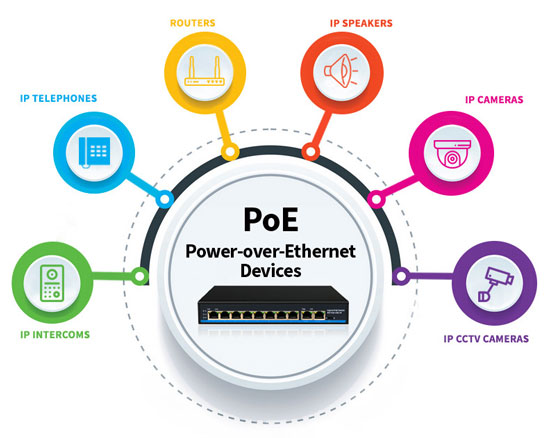
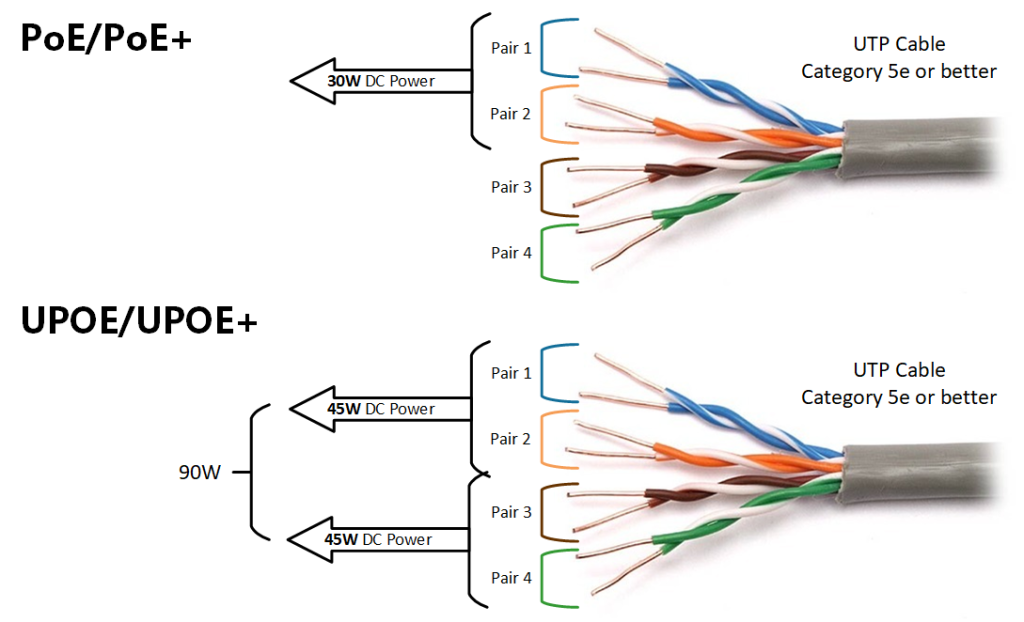
PoE stands for Power over Ethernet. In plain terms, it means a single Ethernet cable carries both power and data to a device, whether that’s a camera, an access point, or a network switch.

Without PoE, every device on a network needs two separate things run to it: a network cable for data, and a power cable plugged into a nearby outlet. PoE combines both into the one cable, so you’re only running a single line to each device instead of two.

Why This Actually Matters On A Job

The obvious benefit is fewer cables, but the practical impact goes further than that.

Camera placement gets a lot more flexible. A camera doesn’t need to go near a power outlet anymore, it just needs a network cable, which can run much further than a power cable safely can. That opens up locations that would otherwise be impractical, like the middle of a warehouse ceiling or a spot high on an outdoor wall.

Installs are faster and cleaner. Running one cable instead of two means less time on the tools, less cabling to hide or manage, and a tidier finished job with fewer points where something can go wrong.

Centralised power means centralised control. Since power comes from the switch or NVR rather than individual outlets, you can reboot a device remotely by cycling its PoE power, without anyone needing to physically unplug anything on site.

It reduces cost on larger jobs. Skipping a licensed electrician for a dedicated power point at every single camera location adds up fast on a multi camera job. PoE cuts that need out almost entirely.

Where PoE Shows Up

CCTV cameras are probably the most common use case. Most IP cameras today are PoE powered, running back to a PoE NVR or PoE switch.

Wireless access points also commonly use PoE, since mounting an AP on a ceiling or high wall is exactly the kind of spot where running a power cable is impractical, but a network cable isn’t.

Intercoms and access control readers increasingly use PoE too, particularly at building entries where a clean, single cable install matters for appearance as much as function.

Not All PoE Is The Same

This is where people sometimes get caught out. PoE comes in different power tiers, generally labelled PoE, PoE+, and PoE++, each supplying more power than the last. A basic camera might only need standard PoE, but a PTZ camera with heating and motorised zoom, or an access point handling heavy Wi-Fi traffic, might need PoE+ or higher to function properly.

Get this wrong and a device either won’t power on at all, or won’t run reliably. It’s worth checking a device’s actual power draw against what your switch or NVR can supply, rather than assuming any PoE port will do.

Cable Length Also Matters

Standard Ethernet, and by extension PoE, has a practical distance limit of around 100 metres before signal quality starts to suffer. For most sites this is plenty, but on a larger property or industrial site with cameras or access points spread further apart, that distance limit needs to be part of the planning from the start, not something discovered halfway through a job.

Talk to Someone Before You Buy

Getting PoE power budgets and switch capacity right before a job starts saves a lot of headaches partway through an install. If you’re not sure whether your switch has enough PoE budget for what you’re planning to connect, that’s exactly the kind of question worth asking before you buy anything, not after.

Recent News

Dahua Smart Control Panel

Dahua SCP3022A: One Panel for Intercom, Monitoring and Alarm Control If you’ve been looking at...

Wired vs Wireless CCTV: What Actually Suits an Australian Installation

What Actually Suits an Australian Installation If you’re weighing up wired or wireless CCTV...

Hikvision or Dahua- Which is better?

Dahua vs Hikvision: Which Should You Choose? If you’re speccing a CCTV job in 2026, chances...

Ruijie Solar Switch

Outdoor Solar Networking, Sorted: The Ruijie Reyee RG-ES207GS-AC-OD Running cameras or access points...

Ruijie Industrial Switch/Router

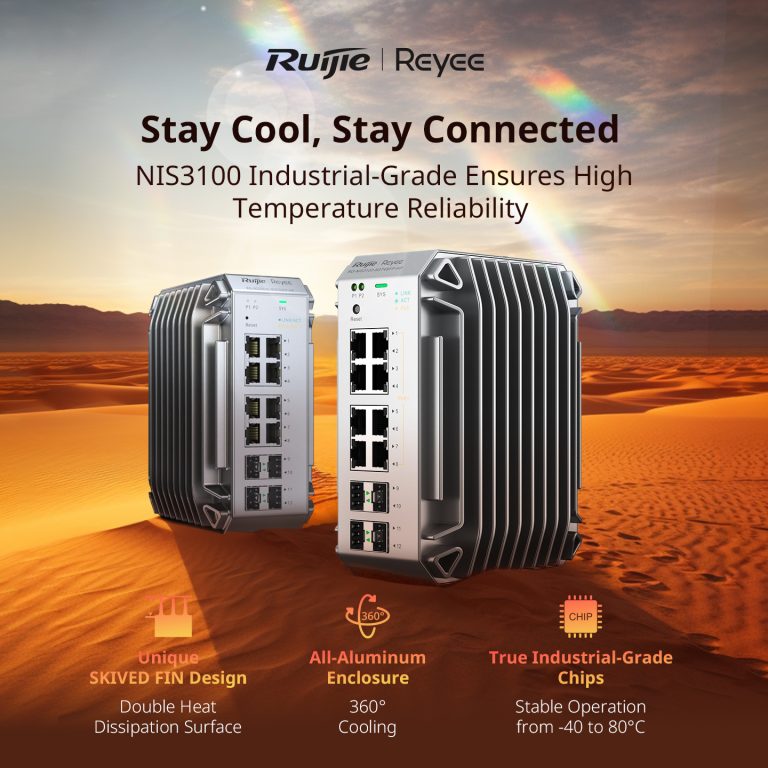
Ruijie Industrial Switches – NIS2K & NIS3100 Series As an authorized networking distributor, we...
Posted on — 1 Comment

Dahua Smart Control Panel

Dahua SCP3022A: One Panel for Intercom, Monitoring and Alarm Control

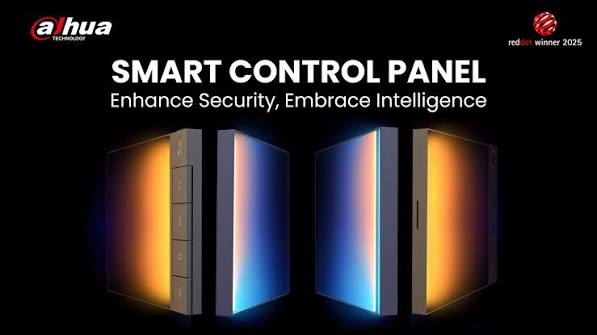
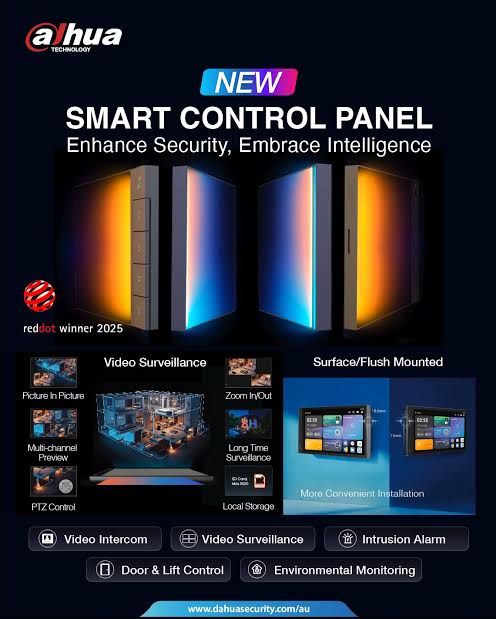
If you’ve been looking at video intercom systems and keep running into the term “smart control panel” without quite knowing what separates it from a standard indoor monitor, the Dahua SCP3022A is a good example of what that extra “smart” actually gets you. It’s not just a screen that shows who’s at the door, it’s built to be the central control point for an entire property.

What It Actually Is

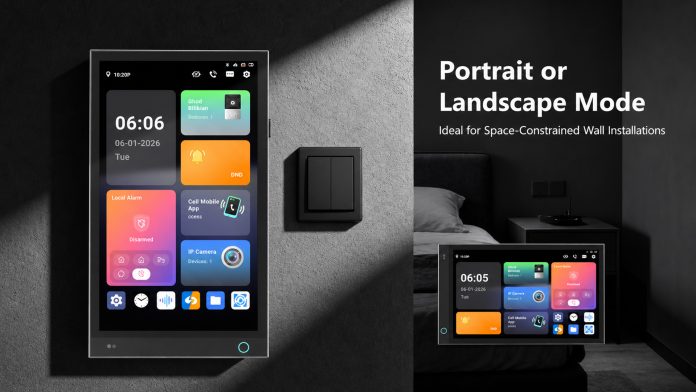
The SCP3022A is a 7 inch IP smart control panel running Android 14, combining video intercom, video monitoring and wireless alarm control into a single wall mounted device. Rather than needing separate hardware for each of those functions, one panel handles all three from the same touchscreen.

Running Android Actually Matters Here

Because the SCP3022A runs a proper Android 14 operating system, it supports APK installation, meaning the panel can be expanded with third party apps rather than being locked to a fixed, closed feature set. For an installer or a customer who wants the panel to do more over time, that’s a genuinely useful bit of future proofing most basic intercom monitors don’t offer.

The Screen and Everyday Usability

The panel uses a 7 inch IPS capacitive touchscreen at 1024 by 600 resolution, with viewing angles wide enough (up to 80 degrees) that it stays readable from across a room, not just standing directly in front of it. It wakes up automatically when someone approaches and includes a built in light sensor that adjusts screen brightness to match the room, small details that make it feel like a genuinely considered product rather than a screen bolted onto existing hardware.

Running Android Actually Matters Here

Because the SCP3022A runs a proper Android 14 operating system, it supports APK installation, meaning the panel can be expanded with third party apps rather than being locked to a fixed, closed feature set. For an installer or a customer who wants the panel to do more over time, that’s a genuinely useful bit of future proofing most basic intercom monitors don’t offer.

Where It Actually Fits

Dahua positions this panel for villas, apartment buildings, gated communities, hotels and office spaces, and that spread makes sense given what it does. A single family home benefits from having intercom, monitoring and alarm control in one place. A hotel or apartment building benefits even more, since the panel also supports elevator call control, letting a resident or guest call the lift straight from the panel itself.

Why This Kind Of Panel Is Worth Considering

The real value of the SCP3022A isn’t any single feature, it’s that intercom, video monitoring, alarm control and environmental awareness all live on one device, managed through one interface, rather than being stitched together from separate systems that don’t talk to each other. For a new build or a full system upgrade, that’s a meaningfully simpler install and a much simpler day to day experience for whoever actually lives with the system.

Talk to Someone Before You Buy

Whether a panel like this suits your job depends on the site’s existing cabling, the scale of the install, and how it needs to integrate with whatever alarm or intercom hardware is already in place. If you’re not sure whether the SCP3022A is the right fit or overkill for your project, that’s exactly the kind of question worth asking before you buy anything, not after.

Recent News

Dahua Smart Control Panel

Dahua SCP3022A: One Panel for Intercom, Monitoring and Alarm Control If you’ve been looking at...

Wired vs Wireless CCTV: What Actually Suits an Australian Installation

What Actually Suits an Australian Installation If you’re weighing up wired or wireless CCTV...

Hikvision or Dahua- Which is better?

Dahua vs Hikvision: Which Should You Choose? If you’re speccing a CCTV job in 2026, chances...

Ruijie Solar Switch

Outdoor Solar Networking, Sorted: The Ruijie Reyee RG-ES207GS-AC-OD Running cameras or access points...

Ruijie Industrial Switch/Router

Ruijie Industrial Switches – NIS2K & NIS3100 Series As an authorized networking distributor, we...
Posted on — Leave a comment

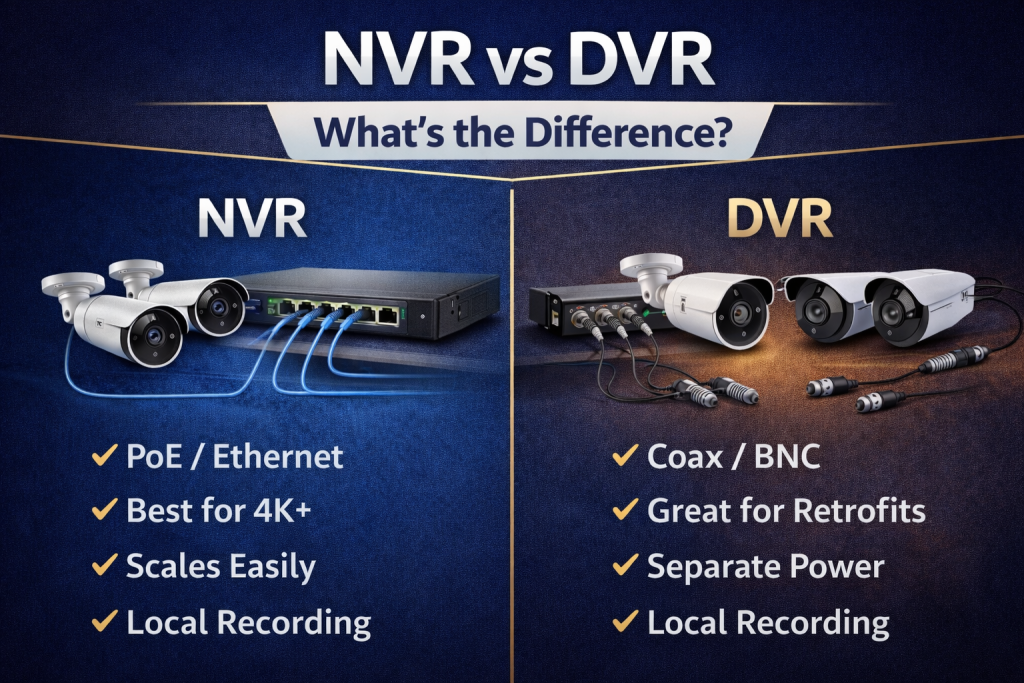
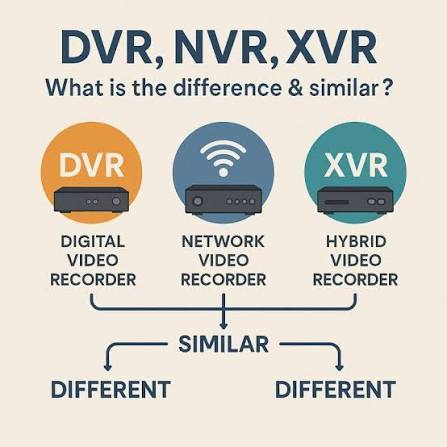
NVR vs XVR vs DVR

What's the Difference?

If you’ve spent five minutes looking into CCTV systems, you’ve probably run into these three acronyms and wondered if they’re actually different things or just marketing terms for the same box. They’re genuinely different, and picking the right one affects what cameras you can use, how good your footage looks, and how much rewiring an upgrade might need. Here’s the plain-English breakdown.

DVR: The Original Recorder

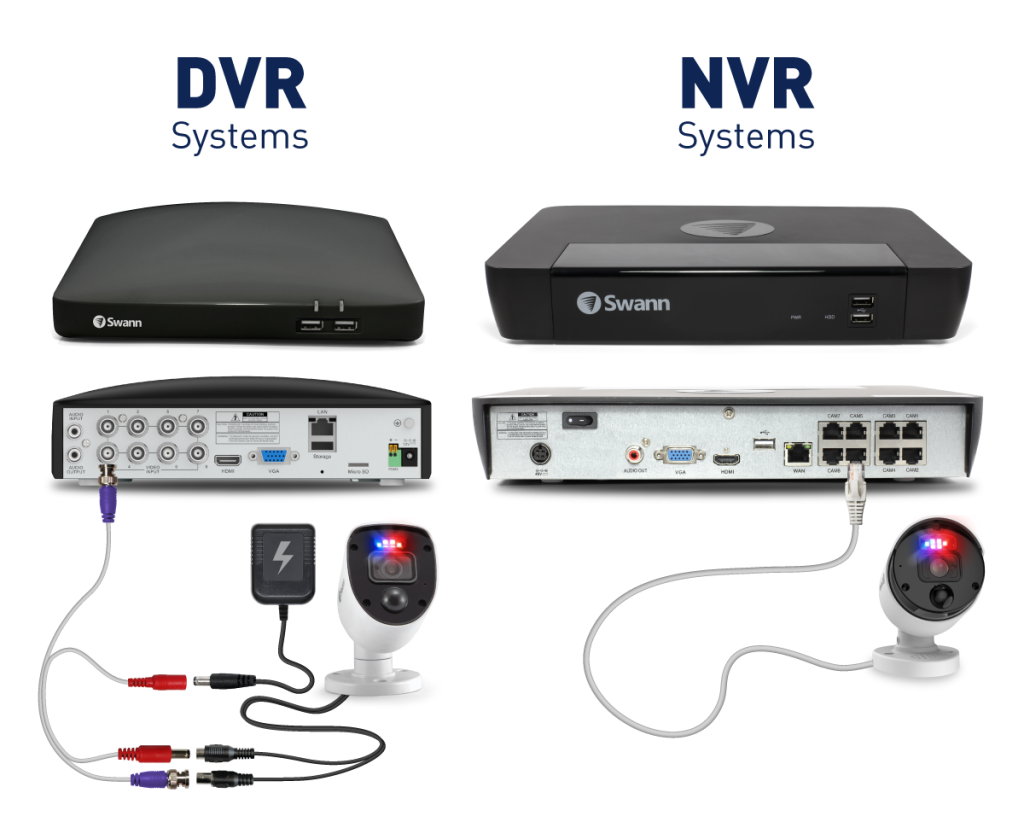
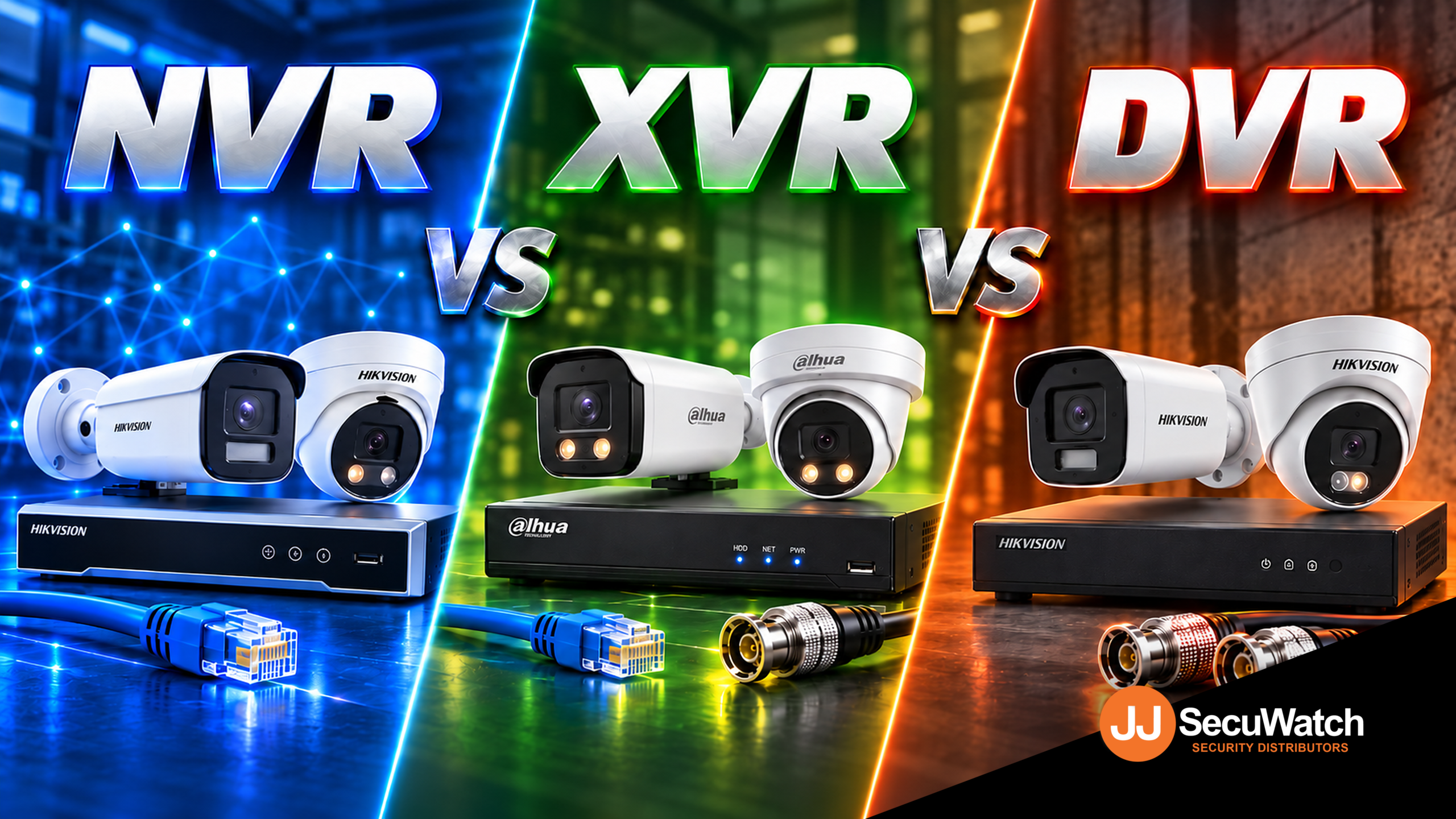
DVR stands for Digital Video Recorder, and it’s the oldest of the three. A DVR works with analogue cameras, the kind that send a raw video signal down a coaxial cable rather than data over a network.

The recorder itself does all the heavy lifting, converting that analogue signal into digital footage you can actually store and review. It’s simple, reliable technology that’s been around for decades, which is exactly why so many older systems still use it.

The catch is resolution. Analogue cameras are fundamentally limited compared to newer IP cameras, so even a “high-end” DVR system will struggle to match the image quality of a basic modern IP camera.

NVR: The IP Camera Recorder

NVR stands for Network Video Recorder, and it’s built for IP cameras, the kind that connect over a network (usually via an Ethernet cable) rather than a dedicated coaxial line.

Here’s the key difference in how it works: an IP camera does its own video processing and compression before sending the footage over the network. The NVR’s job is mostly to receive, store, and let you review that already-processed footage, rather than converting a raw analogue signal itself.

This is why NVR systems are usually paired with much sharper cameras, since IP cameras aren’t limited by the same resolution ceiling as analogue ones. It’s also why most current AI features, like human and vehicle detection, live on NVR systems rather than DVR ones, since that intelligence is processed by the camera itself.

XVR: The Hybrid Option

XVR stands for a few things depending on who you ask (some say “multi-channel Video Recorder,” others just treat it as a catch-all hybrid term), but functionally it means one thing: flexibility.

An XVR can typically handle multiple camera types on the same recorder, analogue, HD-TVI, HD-CVI, AHD, and in many cases IP cameras too, all on the same box. That makes it genuinely useful for one specific, common situation: upgrading an existing system without ripping out cabling that’s already run through walls and ceilings.

If a site already has coaxial cabling installed from an older analogue system, an XVR lets you swap in newer, sharper cameras that use that existing cabling, without needing to run new network cable everywhere.

Which One Should You Actually Get?

If you’re starting completely fresh with no existing cabling, go IP (NVR). You’ll get better image quality, proper AI detection, and a system that’s genuinely future-proof rather than tied to older analogue limitations.

If you’ve already got an analogue system installed and coaxial cabling run through the building, an XVR is usually the smarter move. You get to upgrade your cameras to something sharper without the cost and disruption of rewiring the whole site.

DVR-only systems are becoming harder to justify for anything beyond the most basic, budget-constrained jobs, since an XVR generally does everything a DVR does and more, often for a similar price point.

Talk to Someone Before You Buy

The right choice really does depend on what’s already at the site, not just which recorder sounds most modern. If you’re not sure whether your existing cabling can be reused, or which recorder actually matches the cameras you want, that’s exactly the kind of question worth asking before you buy anything, not after.

Recent News

Dahua Smart Control Panel

Dahua SCP3022A: One Panel for Intercom, Monitoring and Alarm Control If you’ve been looking at...

Wired vs Wireless CCTV: What Actually Suits an Australian Installation

What Actually Suits an Australian Installation If you’re weighing up wired or wireless CCTV...

Hikvision or Dahua- Which is better?

Dahua vs Hikvision: Which Should You Choose? If you’re speccing a CCTV job in 2026, chances...

Ruijie Solar Switch

Outdoor Solar Networking, Sorted: The Ruijie Reyee RG-ES207GS-AC-OD Running cameras or access points...

Ruijie Industrial Switch/Router

Ruijie Industrial Switches – NIS2K & NIS3100 Series As an authorized networking distributor, we...
Posted on — Leave a comment

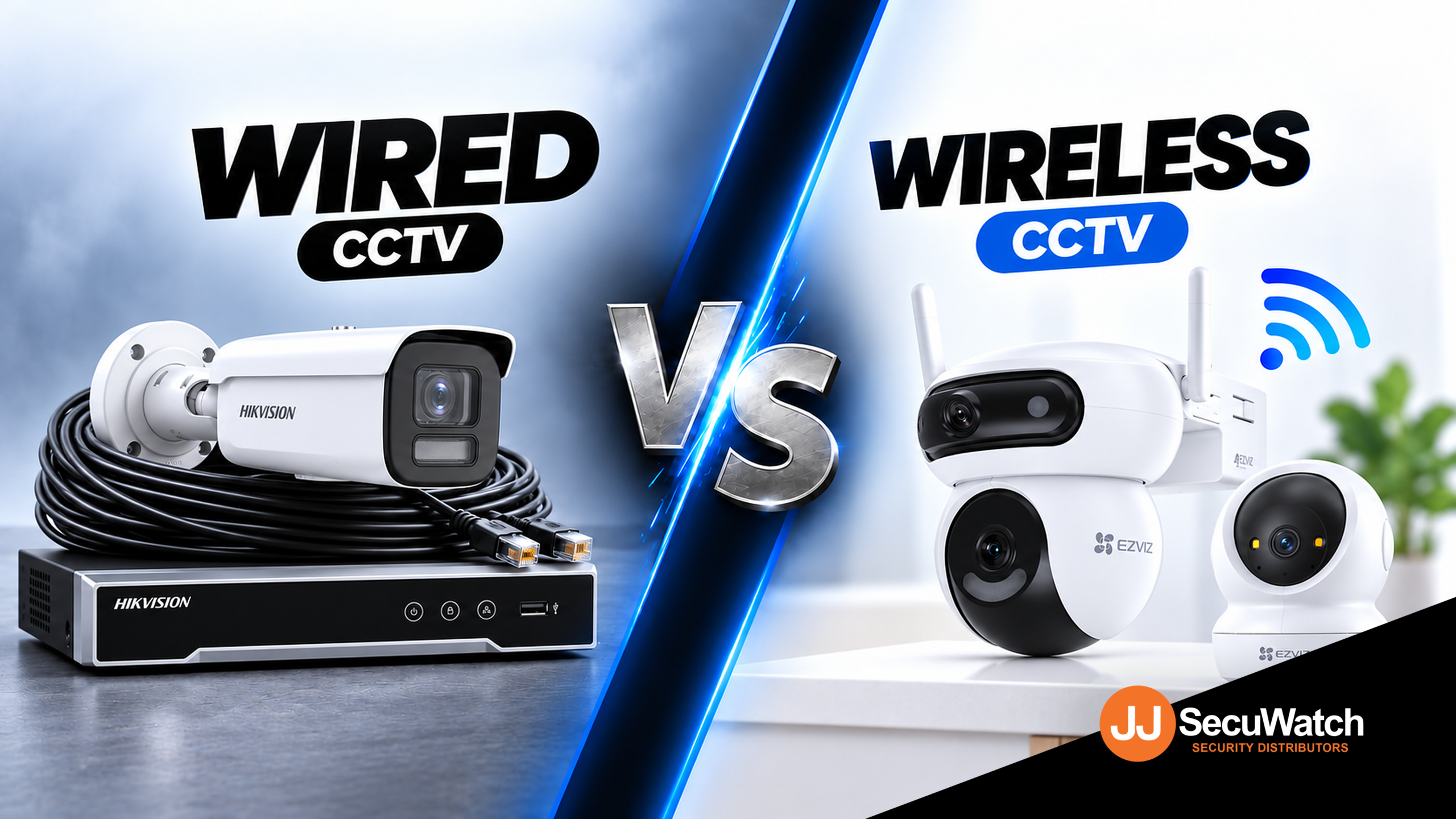
Wired vs Wireless CCTV: What Actually Suits an Australian Installation

What Actually Suits an Australian Installation

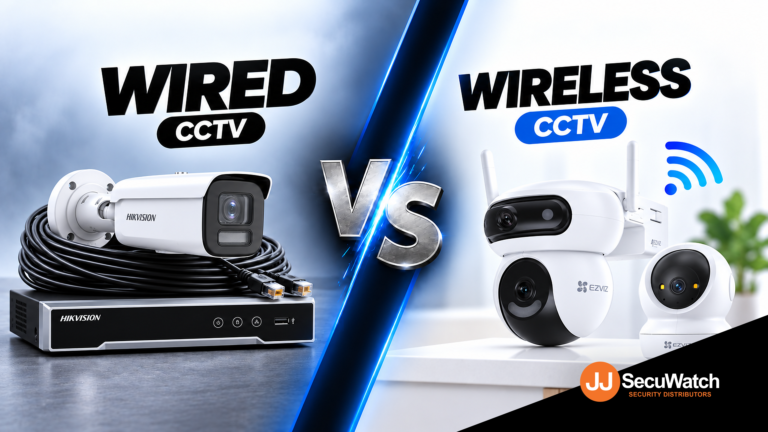
If you’re weighing up wired or wireless CCTV for a home or business, the honest answer is that both work well these days. The real question isn’t which one is “better.” It’s which one actually fits your property, your budget and how much cabling you’re prepared to deal with. Here’s how to think it through properly.

What "Wired" Actually Means Today

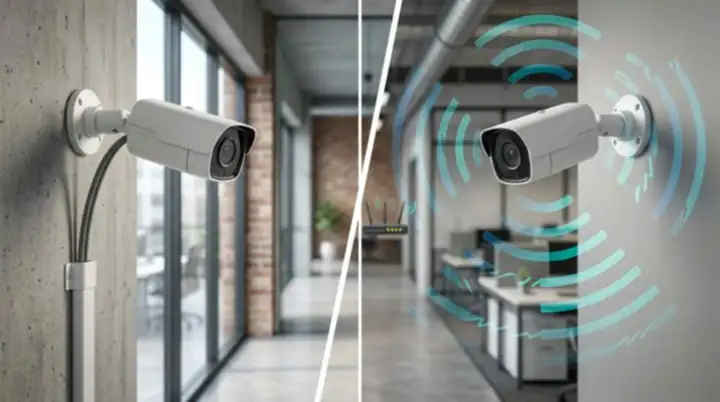
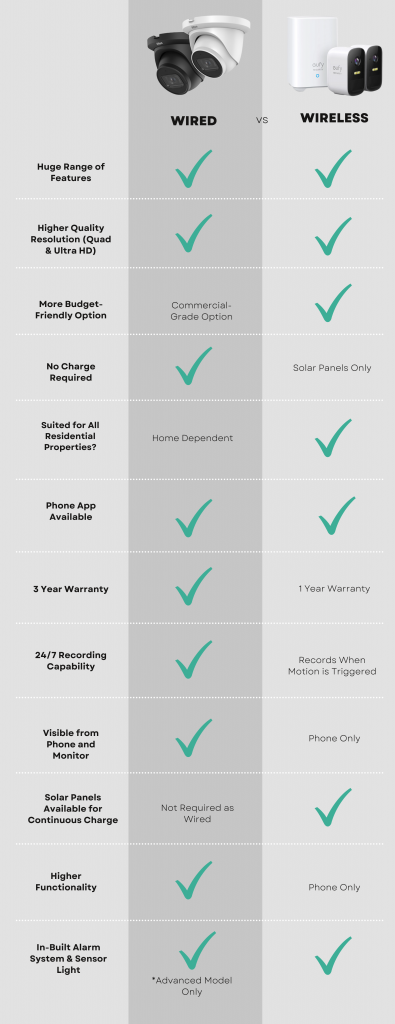
When people say “wired CCTV,” they’re usually talking about a PoE system. That stands for Power over Ethernet, and it means one cable carries both power and video data to each camera. No separate power supply needed at every camera location, just a single Ethernet run back to a recorder.

This is still the gold standard for permanent installations, and there’s a good reason for that. A wired connection isn’t fighting for bandwidth with your Wi Fi router, isn’t affected by walls or interference, and won’t drop out during a storm the way a wireless signal sometimes can. For a business that genuinely needs 24 hour, uninterrupted footage, that reliability matters a lot more than the extra effort of running cable.

What "Wireless" Actually Means

Wireless CCTV generally falls into two camps. The first is Wi Fi cameras that connect to your existing home or business network and store footage locally or in the cloud. The second is battery or solar powered cameras that don’t need any wiring at all, not even for power.

The appeal here is obvious. No drilling, no cable runs, no need to plan the install around where you can physically get a cable to. For a renter, an apartment, or someone who just wants a camera up this weekend, wireless is genuinely the easier path.

The trade off is that you’re now relying on your Wi Fi signal reaching every camera reliably, and on either a battery lasting or a solar panel doing its job through Australian weather. Neither of those is a dealbreaker, but they are things to plan around properly rather than assume will just work.

Some brands that focus on wireless securit are Eufy, Ring Intercom, Swan Wireless. Many brands actually do both.

Where Wired Makes More Sense

Choose wired if you’re in any of these situations:

You’re installing permanently and don’t mind an electrician or installer running cable once, properly, so you never think about it again.

You need continuous, reliable recording without gaps, particularly for a business where footage might end up being used as evidence.

You’re covering a large property or commercial site where Wi Fi signal simply won’t reach every camera location reliably.

You want to avoid ongoing subscription costs, since wired systems overwhelmingly record to a local NVR rather than the cloud.

Where Wireless Makes More Sense

Choose wireless if you’re in any of these situations:

You’re renting or can’t run cables through walls without real hassle or landlord approval.

You need a camera up quickly, without booking an installer or planning an install around cable runs.

You’re covering an outdoor area like a shed, gate or driveway where running power is impractical, and a solar or battery camera solves that cleanly.

Your coverage needs are modest, a couple of cameras rather than a full multi camera system.

The Australian Factor Nobody Talks About Enough

Australia isn’t a small consideration here, it actually changes the calculation a bit. Long, hot summers mean solar powered wireless cameras genuinely perform well across most of the country, since there’s rarely a shortage of sunlight to keep them charged. That’s a real point in favour of wireless for outdoor, hard to wire spots.

On the flip side, a lot of Australian homes and businesses sit on larger blocks or have outbuildings, sheds and car parks some distance from the house. Wi Fi doesn’t always reach that far reliably, and that’s exactly the situation where a wired PoE run, even a longer one, ends up being the more dependable choice.

What To Actually Do Next

If you’re not sure which setup suits your site, the honest move is to talk it through with someone who installs these systems for a living, rather than guessing from a spec sheet. Tell them what you’re protecting, how the property is laid out, and what your budget looks like, and a good installer will mix wired and wireless where it actually makes sense rather than pushing you toward whichever one they happen to stock more of.

Recent News

Dahua Smart Control Panel

Dahua SCP3022A: One Panel for Intercom, Monitoring and Alarm Control If you’ve been looking at...

Wired vs Wireless CCTV: What Actually Suits an Australian Installation

What Actually Suits an Australian Installation If you’re weighing up wired or wireless CCTV...

Hikvision or Dahua- Which is better?

Dahua vs Hikvision: Which Should You Choose? If you’re speccing a CCTV job in 2026, chances...

Ruijie Solar Switch

Outdoor Solar Networking, Sorted: The Ruijie Reyee RG-ES207GS-AC-OD Running cameras or access points...

Ruijie Industrial Switch/Router

Ruijie Industrial Switches – NIS2K & NIS3100 Series As an authorized networking distributor, we...
Posted on — 1 Comment

Hikvision or Dahua- Which is better?

Dahua vs Hikvision: Which Should You Choose?

If you’re speccing a CCTV job in 2026, chances are it comes down to two names: Dahua and Hikvision. Both are genuine global giants, Hikvision is the largest video surveillance manufacturer in the world, and Dahua isn’t far behind. Both make excellent gear. So which one actually fits your job? Here’s the breakdown.

Pricing

Hikvision sits in slightly higher in price range compare to Dahua. Dahua’s WizSense line tends to offer strong value at the entry-to-mid tier, a lot of AI-detection capability for a competitive price point. Hikvision’s core range is priced comparably, but where Hikvision pulls ahead on flexibility is HiLook — their value-tier sub-brand, which shares core Hikvision technology (AcuSense AI detection, ColorVu low-light imaging) at a genuinely lower price point. If budget is the deciding factor on a job, HiLook is often the sharper comparison against Dahua’s entry range than Hikvision’s own core lineup is.

Bottom line: Dahua is more price driven, while Hikvisionis more commercial grade. For genuinely budget-conscious jobs, HiLook is worth comparing directly against Dahua before assuming Dahua is automatically the cheaper option. 

Technology

Both brands have converged on similar core capabilities, just under different names:

AI Human/Vehicle Detection
Hikvision
AcuSense
Dahua
WizSense / SMD
Full-Colour Low-Light
Hikvision
ColorVu
Dahua
Full-Color / WizColor
Active Deterrence (Light + Siren)
Hikvision
TiOC
Dahua
TiOC
Advanced Deep-Learning Tier
Hikvision
—
Dahua
WizMind

Both brands have converged on similar core capabilities, just under different names:

FeatureHikvisionDahua
AI human/vehicle detectionAcuSenseWizSense / SMD
Full-colour low-lightColorVuFull-Color / WizColor
Active deterrence (light + siren)Active deterrentTiOC
Advanced deep-learning tierAkuseekWizMind

The two brands are more similar than different on paper. Where they tend to diverge in practice:

  • Hikvision’s AcuSense has a longer track record and slightly broader third-party VMS/NVR compatibility, given how long it’s been the market leader.
  • Dahua’s WizMind tier is positioned as their step-up deep-learning range for more demanding sites, giving Dahua a clearer three-tier structure (WizSense → WizMind → premium) than some equivalent Hikvision groupings.

For most standard installs, the practical difference between AcuSense and WizSense detection accuracy is small enough that it shouldn’t be the deciding factor on its own.

Interface & Usability

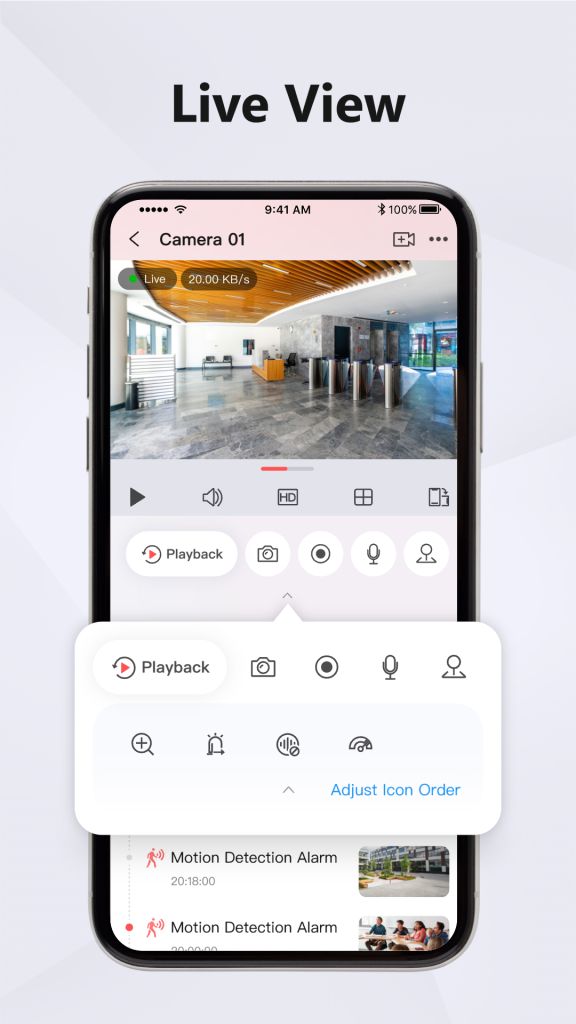
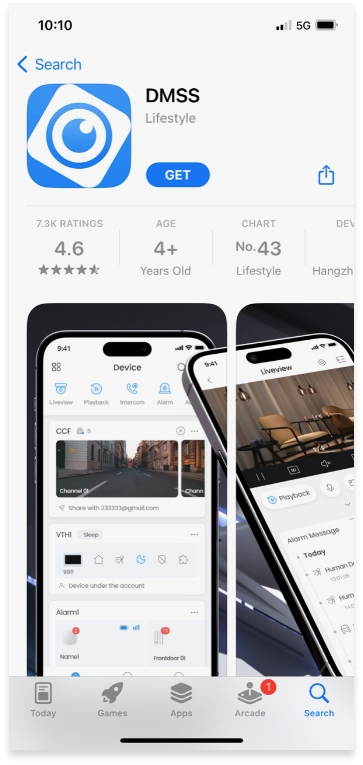
Hikvision App

Dahua App

Dahua App

This is where installer preference genuinely starts to matter more than spec sheets:

  • Hikvision’s Hik-Connect app and HikCentral VMS are broadly considered mature and intuitive, particularly for larger multi-site deployments where HikCentral Professional can manage hundreds of sites from one interface.
  • Dahua’s app and NVR menu structure are generally straightforward too, though some installers find Hikvision’s interface marginally more polished for end-user-facing apps (i.e. what the client sees on their phone, not just what the installer configures).

If your customer base skews toward wanting a clean, simple mobile experience, Hikvision has a slight edge here. If you’re mostly installer-facing (configuring on-site, not handing off a polished app experience), the gap narrows considerably.

Brand Details

  • Hikvision — the world’s largest video surveillance manufacturer, with the broadest product ecosystem: CCTV, access control, intercoms, alarms, and even commercial displays, all under one brand. If a job needs multiple categories to come from a single manufacturer, Hikvision’s range is hard to match for breadth.
  • Dahua — a major global manufacturer in its own right, historically strong on price-to-performance and with a genuinely broad analogue-to-IP range, useful on jobs that still need to bridge older coaxial cabling with new IP hardware.
  • HiLook — not a separate manufacturer, but Hikvision’s own value sub-brand. Choosing HiLook means Hikvision-grade core technology at a lower price, with a narrower category range (primarily CCTV, with some alarm and intercom options) than the full Hikvision lineup.

Overall: Which Should You Go For?

There’s no universal right answer — it genuinely depends on the job:

  • Choose Hikvision if the site needs multiple categories (CCTV + access control +Alarm + intercom) under one ecosystem, or if a polished client-facing app experience matters.
  • Choose Dahua if you want strong AI detection at a competitive mid-tier price, or the job needs to bridge older analogue cabling with new IP hardware.
  • Choose HiLook if budget is the primary constraint and the job is under 32CH (Under 32 Cameras), you get genuine Hikvision-grade detection technology without paying full Hikvision pricing.

As a distributor carrying all three, our honest take: don’t pick a brand first and force the job to fit it. Tell us what the site actually needs, budget, categories, and scale and we’ll point you to the range that fits, not just the one with the best margin.

Recent News

Dahua Smart Control Panel

Dahua SCP3022A: One Panel for Intercom, Monitoring and Alarm Control If you’ve been looking at...

Wired vs Wireless CCTV: What Actually Suits an Australian Installation

What Actually Suits an Australian Installation If you’re weighing up wired or wireless CCTV...

Hikvision or Dahua- Which is better?

Dahua vs Hikvision: Which Should You Choose? If you’re speccing a CCTV job in 2026, chances...

Ruijie Solar Switch

Outdoor Solar Networking, Sorted: The Ruijie Reyee RG-ES207GS-AC-OD Running cameras or access points...

Ruijie Industrial Switch/Router

Ruijie Industrial Switches – NIS2K & NIS3100 Series As an authorized networking distributor, we...
Posted on — Leave a comment

Konec and Hikvision Openday

Open Day Recap: Hikvision 180° ColorVu, Intercom & HiLook PTZ

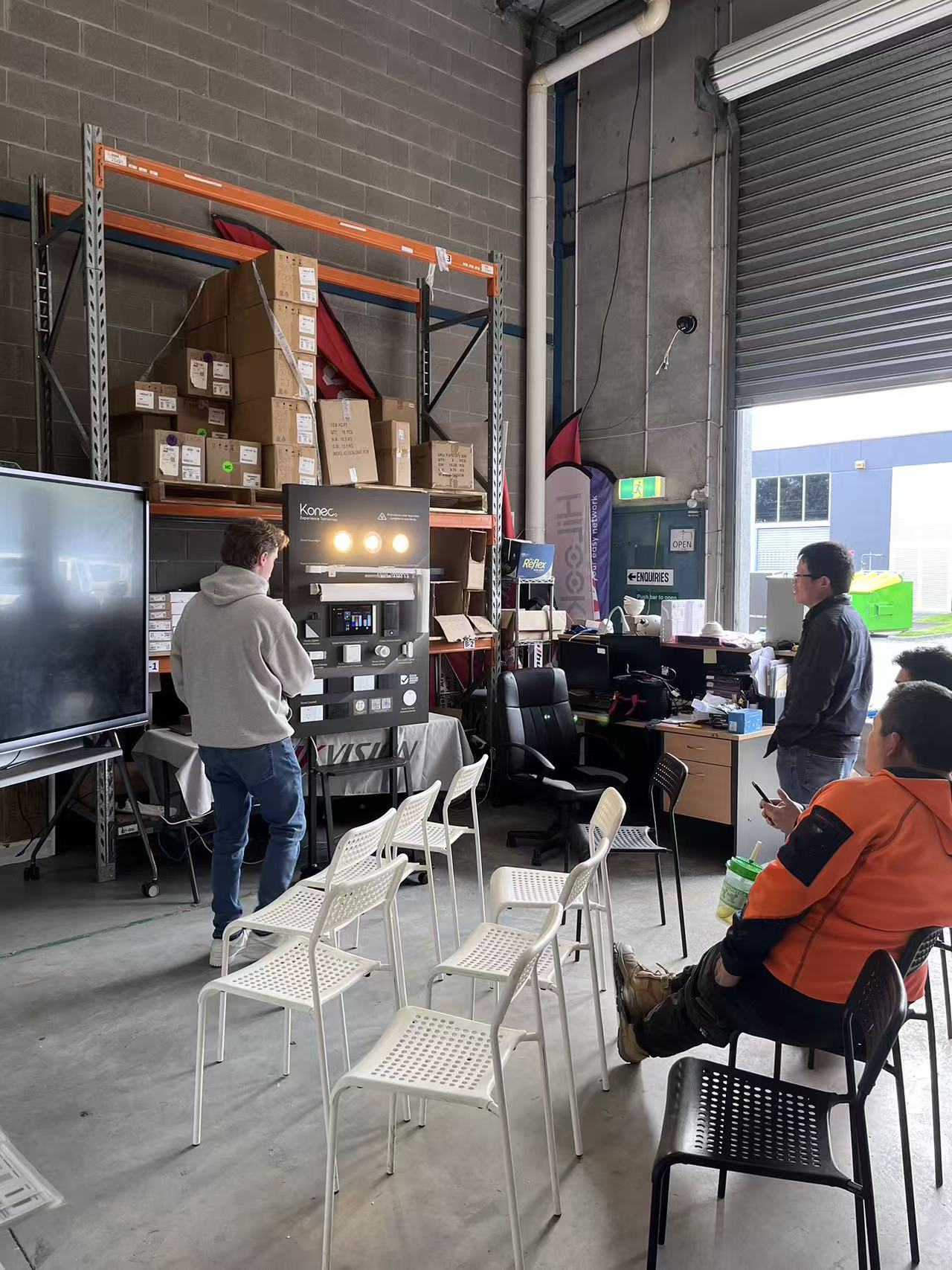
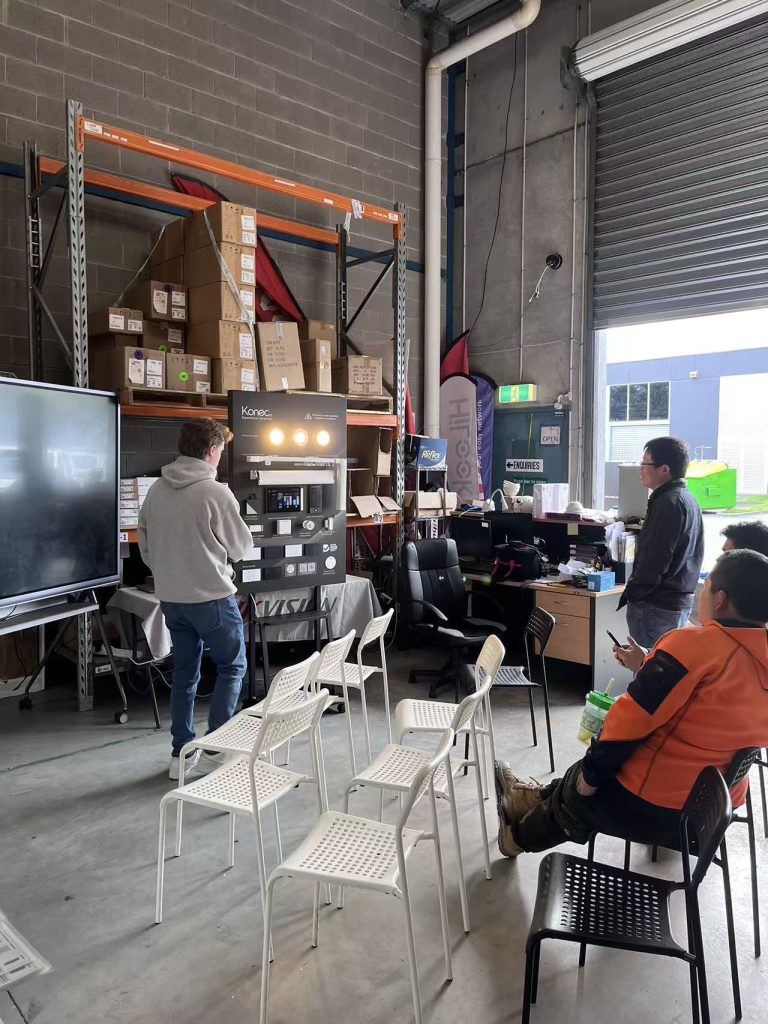
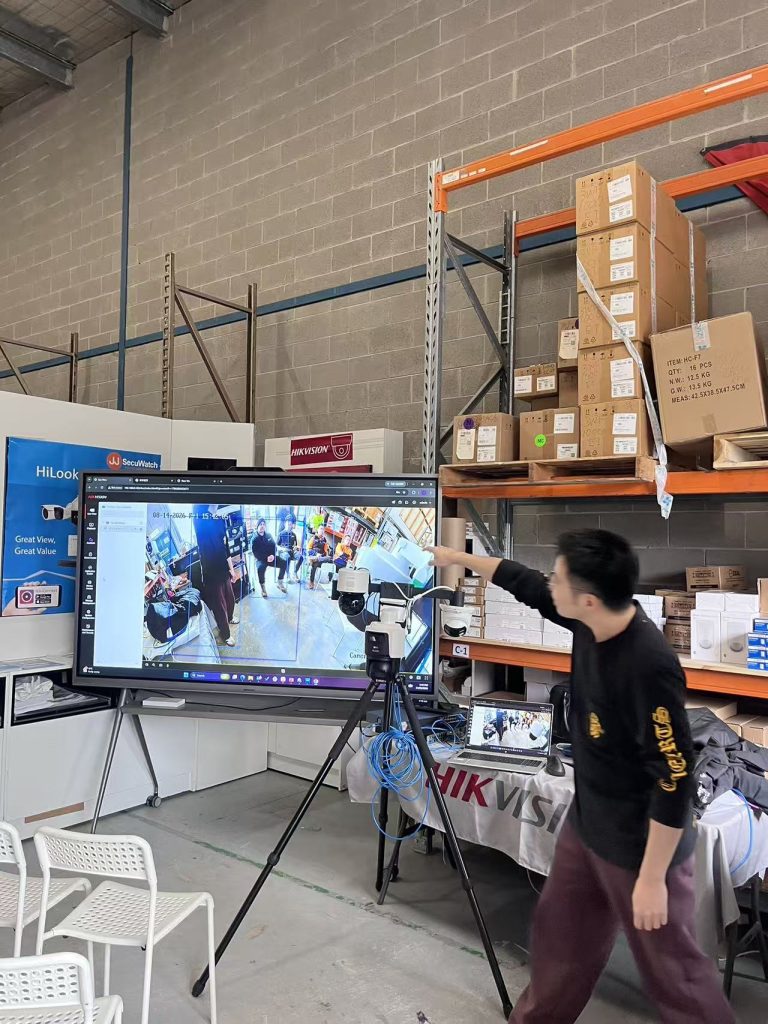
On 14 August we ran our latest open day at JJ Secuwatch, with live demonstrations of new product from Hikvision, HiLook and Konec. Rather than a static display, we set everything up running — cameras recording, intercoms wired to a screen, and the PTZ tracking live in front of the room.

Below is a rundown of what we showed, what installers asked about on the day, and where each product actually fits on a job.

Konec smart automation

Lead with this one — it’s the newest to your range and likely the least-covered online, which means the least competition to rank for.

Konec was the newest addition to our range on the day, and the one that drew the most questions. Smart automation is increasingly quoted alongside security on the same job, and installers are being asked for it whether they’re set up for it or not.

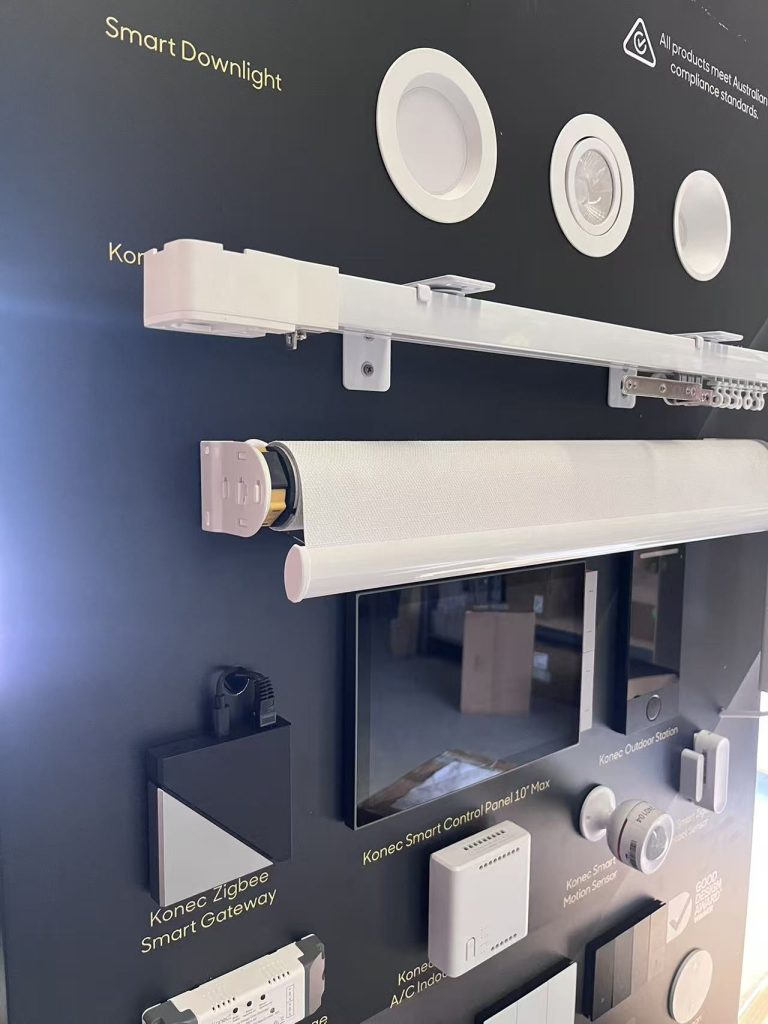
We ran the full range live — switches, gateway, blinds, curtains, garage control, lighting and door locks — so people could see what actually talks to what.

H3: Konec smart switches

Cover: gang configurations, whether they fit standard Australian wall plates and back boxes, neutral wire requirement (this is the number one installer question — say it explicitly), load rating, and whether they retain manual operation if the network drops.


H3: Konec smart gateway

The hub is what makes the rest of it a system rather than a pile of devices. Cover the protocols it supports Zigbee, whether it runs local control without internet, and app.


H3: Konec roller blind and curtain motors

The openday covered the configuration between the switches


H3: Konec garage switch

Cover: dry contact relay operation, compatibility with common Australian garage motor brands, whether it needs a separate position sensor for open/closed status, and how it integrates into the app. 


H3: Konec smart downlights

Cover: dimming, tuneable white vs RGB, whether they’re compatible with the switches or need the gateway, and whether you can use other brand downlights.


H3: Konec smart door locks

Cover: unlock methods (fingerprint, PIN, card, app, key override), door thickness and mortice compatibility, battery life and low-battery behaviour, and — the one everyone asks — what happens in a power or network failure.

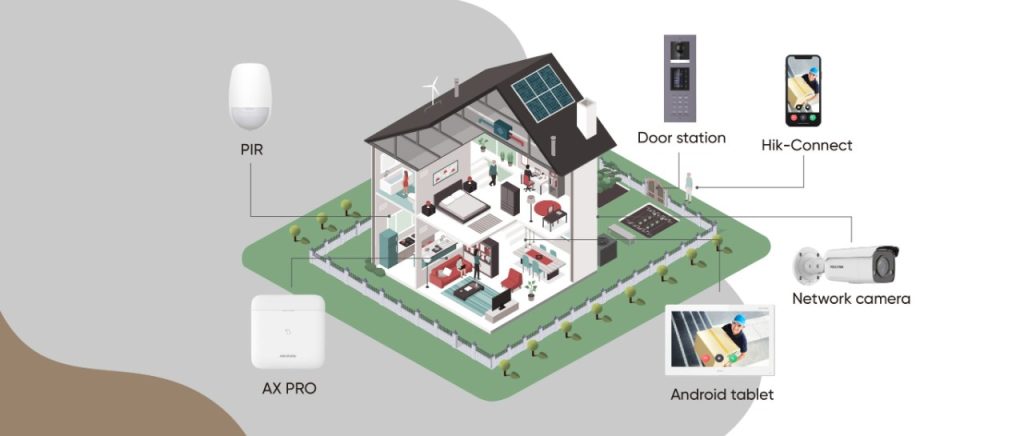
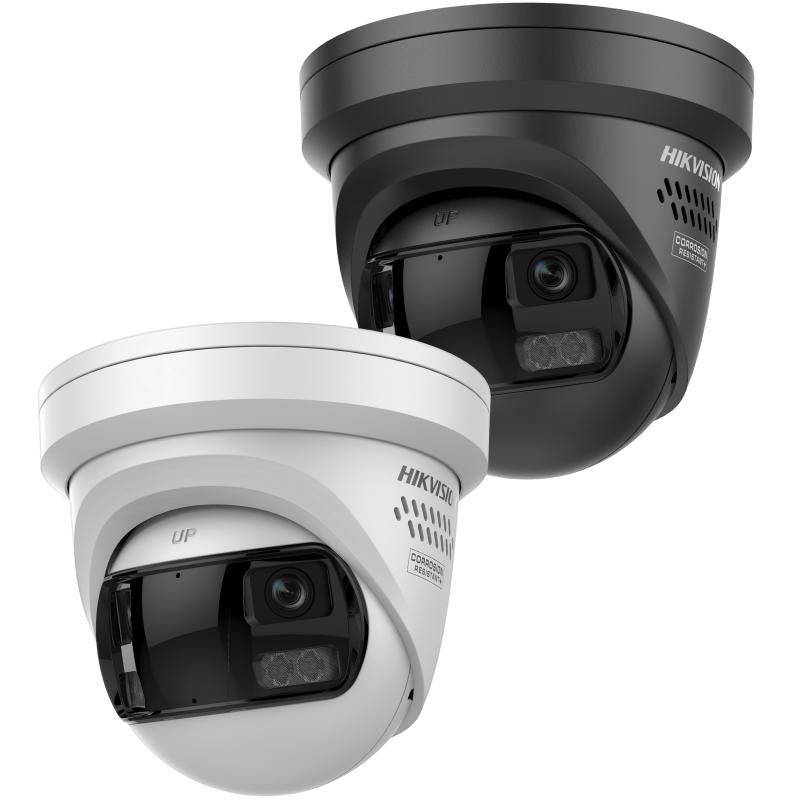
Hikvision DS-2CD2387G3P-LIS2UY/SL — 8MP 180° panoramic ColorVu

It combines ColorVu for full-colour night imaging with AcuSense person and vehicle classification, plus active deterrence via strobe and audio. It’s IP67 and NEMA 4X rated. Hikvision + 2

The angle installers care about: one camera replacing three. A 180° panoramic view means covering a wide area without multiplying camera count.

Hikvision DS-KV6124-WBE1 video intercom

4MP camera with a 150° viewing angle, two-lock control, and unlocking via card, PIN, Bluetooth, Hik-Connect or indoor station. 120dB WDR, IR to 3m, microSD recording up to 128GB. IP65 rated, with Wi-Fi and PoE connectivity. Hikvision + 2

We connected this up with the phone, set up a keypad and connected it to a lock. Using 4 ways to unlock: via phone, bluetooth, tag and keypad allows you flexibility for unlocking doors.

HiLook PTZ auto-tracking demonstration

The content angle is the demo itself: auto-tracking shown live. Describe what it did — picked up a person entering frame, followed, zoomed, returned to preset. Note the honest limits too (what happens with multiple targets, return-to-preset timing). That candour is what makes trade readers trust a supplier page

Recent News

Dahua Smart Control Panel

Dahua SCP3022A: One Panel for Intercom, Monitoring and Alarm Control If you’ve been looking at...

Wired vs Wireless CCTV: What Actually Suits an Australian Installation

What Actually Suits an Australian Installation If you’re weighing up wired or wireless CCTV...

Hikvision or Dahua- Which is better?

Dahua vs Hikvision: Which Should You Choose? If you’re speccing a CCTV job in 2026, chances...

Ruijie Solar Switch

Outdoor Solar Networking, Sorted: The Ruijie Reyee RG-ES207GS-AC-OD Running cameras or access points...

Ruijie Industrial Switch/Router

Ruijie Industrial Switches – NIS2K & NIS3100 Series As an authorized networking distributor, we...
Posted on — 2 Comments

Ruijie Solar Switch

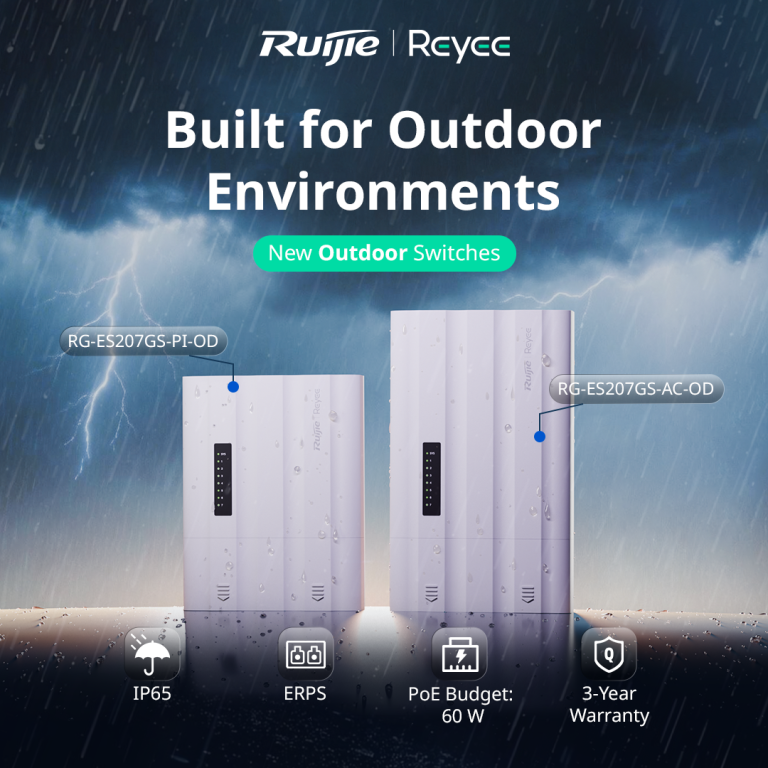
Outdoor Solar Networking, Sorted: The Ruijie Reyee RG-ES207GS-AC-OD

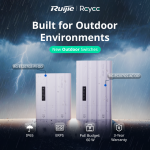
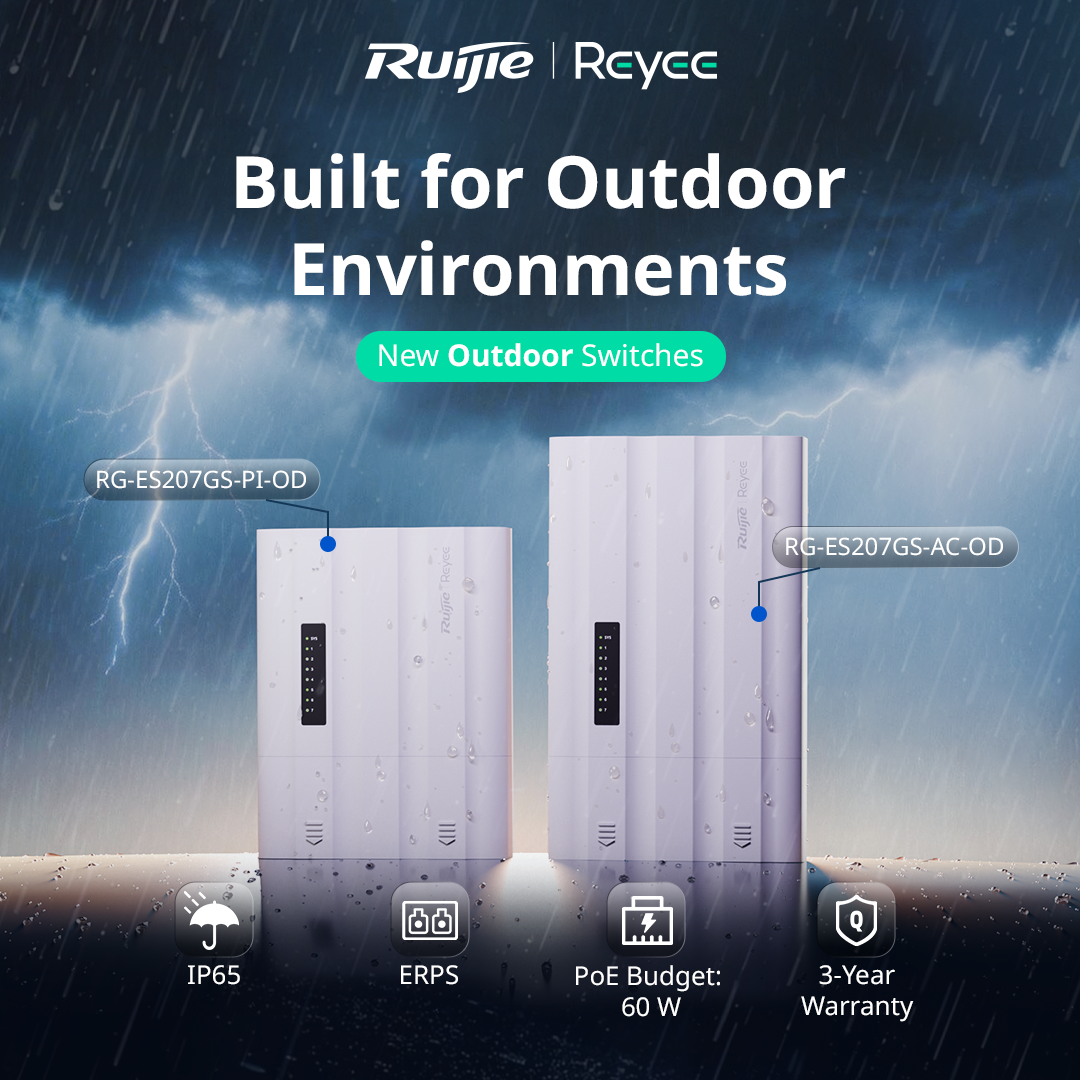
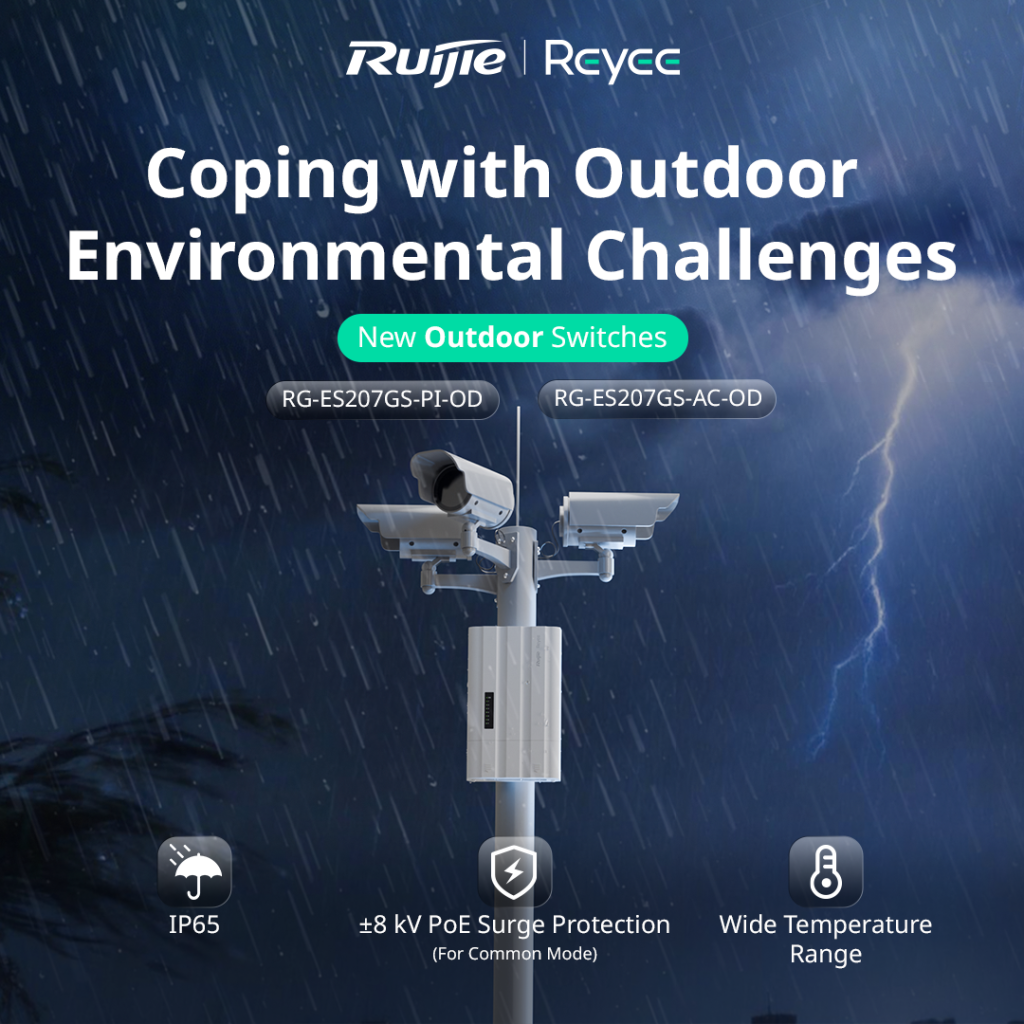
Running cameras or access points in an outdoor location usually means one of two headaches. Either you build a weatherproof enclosure around a standard switch and a separate power supply, or you run a long cable back to a dry spot indoors. The Ruijie Reyee RG-ES207GS-AC-OD is designed to remove that problem. It’s a 7 port gigabit outdoor switch with its own power input, so everything you need sits in one weatherproof unit.

What It Actually Is

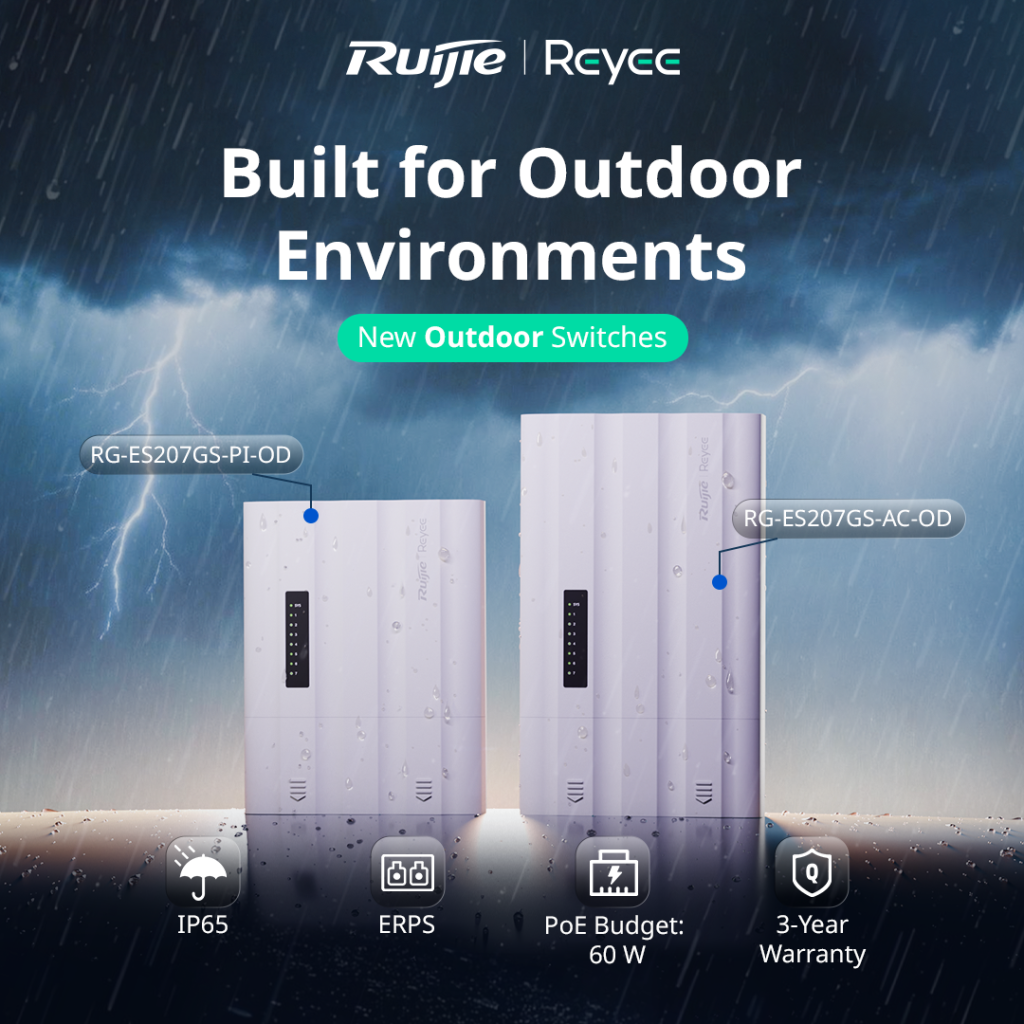
The RG-ES207GS-AC-OD is a Layer 2 managed outdoor switch with 5 gigabit RJ45 ports and 2 SFP uplink ports. It runs straight from mains power (100 to 240V AC), which makes it a good fit for sites where power is already available at the pole, gate or outbuilding where the switch will live.

Ruijie calls it an “all in one” design. The switch, power input and weather protection are built into a single unit, rather than being separate pieces you assemble on site.

Built for Outdoor Conditions

This is where it earns its place. The switch carries an IP65 rating, which means it’s dust tight and protected against water jets. It operates in temperatures from -30°C to 65°C, which covers everything from a freezing alpine morning to a scorching western Victorian summer afternoon.

It also includes ±8kV surge protection on the PoE ports. Outdoor cabling picks up a lot of electrical noise and the occasional lightning induced spike, so that protection helps keep the switch and the cameras connected to it alive. The unit is fanless, which means no moving parts to clog with dust or fail over time.

PoE for Your Cameras

Four of the ports supply PoE/PoE+ power, with a total PoE budget of 60W shared across them. That’s plenty for a small cluster of IP cameras or an access point, but it’s worth doing the maths before you quote. A single PoE+ PTZ camera can draw close to 30W by itself, so a job with several power hungry devices may need a switch with a bigger budget.

Two SFP Ports for Fibre or Ring Setups

The two SFP uplink ports give you flexibility on how the switch connects back to the rest of the network. You can run fibre for long distances, where copper would hit its 100 metre limit, or use both ports to build a ring with ERPS (Ethernet Ring Protection Switching). In a ring, if one link is cut, traffic automatically reroutes the other way, which matters on larger sites where an outage means a camera going dark.

For locations where fibre isn’t practical, Ruijie also supports wireless connectivity for the uplink, and there’s a long distance transmission mode you can configure through the Reyee app.


Managed From Ruijie Cloud

Like the rest of the Reyee range, this switch is managed through Ruijie Cloud and the Reyee app, so you can monitor and configure it remotely without driving back to site. A few features are particularly handy for CCTV jobs:

PoE watchdog. If a camera stops responding, the switch can detect it and power cycle the port automatically.

Camera detection and cable diagnostics. You can see which cameras are online and test cable health from the app, which cuts down on guesswork when something goes wrong.

Uninterrupted PoE power. The switch keeps powering connected devices during a hot restart, so cameras don’t drop out every time the switch reboots.

Where It Fits Best

Ruijie positions this switch for CCTV, parks and highway style deployments, and that’s a good guide to its sweet spot. Think car parks, sports grounds, industrial yards, gate entrances, outbuildings, and anywhere else you’d otherwise be building a custom outdoor enclosure to protect a standard switch.

The Bottom Line

The RG-ES207GS-AC-OD takes a job that usually needs three or four components and fits it into one weatherproof box, with cloud management and a solid warranty behind it (Ruijie lists 3 years). For outdoor CCTV and access point installs with mains power nearby, it simplifies both the install and the ongoing maintenance.

Talk to Someone Before You Buy

Whether this is the right switch depends on how many devices you’re powering, how far the uplink needs to run, and whether mains power is available at the install point. If you’re not sure how to size the PoE budget for your cameras, or whether fibre or wireless uplink makes more sense for your site, that’s exactly the kind of question worth asking before you buy anything, not after.

Recent News

Wired vs Wireless CCTV: What Actually Suits an Australian Installation

What Actually Suits an Australian Installation If you’re weighing up wired or wireless CCTV...

Hikvision or Dahua- Which is better?

Dahua vs Hikvision: Which Should You Choose? If you’re speccing a CCTV job in 2026, chances...

Ruijie Solar Switch

Outdoor Solar Networking, Sorted: The Ruijie Reyee RG-ES207GS-AC-OD Running cameras or access points...

Ruijie Industrial Switch/Router

Ruijie Industrial Switches – NIS2K & NIS3100 Series As an authorized networking distributor, we...

Milesight with NX Witness

Introducing Milesight We are proud to supply and support the complete range of Milesight CCTV and...
Posted on

IGA Dahua CVI System

IGA Supermarket — AI-Enabled Recorder Upgrade

The Challenge

The IGA’s existing XVR was doing its job in the most basic sense — it recorded — but it was working off plain motion detection. Every gust of wind through the car park, every shopping trolley rolling past, every shadow moving across the loading dock triggered the same alert as an actual person or vehicle. For a site with genuine foot and vehicle traffic all day, that meant the alert log was mostly noise, and reviewing footage after an incident meant scrubbing through hours of irrelevant motion to find the moment that actually mattered.

There was also no way for management to check in on the store remotely. Checking footage meant being physically on-site at the recorder — not practical for an owner or manager who wasn’t always on the premises.

The Solution

The old XVR was replaced with a current Dahua WizSense unit, which brought two changes that mattered immediately:

AI-based human and vehicle classification. Instead of flagging any motion, the WizSense recorder’s Smart Motion Detection (SMD) distinguishes between people, vehicles, and everything else. A trolley rolling in the wind or a bird crossing the car park no longer triggers an alert the same way a person or car does.

P2P remote access via smartphone. The new recorder supports Dahua’s P2P connection, letting the XVR be added directly into a mobile app without complex network configuration — no static IP, no port forwarding setup required on-site. Management can now check live camera views and pull up recorded footage from a phone, from anywhere.

The Result

  • Meaningfully fewer false alerts — the switch from plain motion to AI-based human/vehicle detection cut out the bulk of alerts that weren’t actually worth reviewing.
  • Faster incident review — with irrelevant motion filtered out, finding a specific moment in the footage takes a fraction of the time it used to.
  • Remote visibility from day one — the owner can now check the store from a phone without needing to be on-site or dial into a fixed IP.

Recent News

Dahua Smart Control Panel

Dahua SCP3022A: One Panel for Intercom, Monitoring and Alarm Control If you’ve been looking at...

Wired vs Wireless CCTV: What Actually Suits an Australian Installation

What Actually Suits an Australian Installation If you’re weighing up wired or wireless CCTV...

Hikvision or Dahua- Which is better?

Dahua vs Hikvision: Which Should You Choose? If you’re speccing a CCTV job in 2026, chances...

Ruijie Solar Switch

Outdoor Solar Networking, Sorted: The Ruijie Reyee RG-ES207GS-AC-OD Running cameras or access points...

Ruijie Industrial Switch/Router

Ruijie Industrial Switches – NIS2K & NIS3100 Series As an authorized networking distributor, we...
Posted on

Dahua Surveillance System

TEN YEARS OVERDUE: HOW TRARALGON BOWLS CLUB BROUGHT ITS GAMING ROOM CCTV BACK INTO COMPLIANCE

The Victorian Gambling and Casino Control Commission has been blunt lately: its inspectors are finding venues where CCTV coverage of the gaming machine area is incomplete and doesn’t meet the legislative requirements. For a club, that’s not a minor paperwork issue — supervision of the gaming machine area is a licence condition.

Traralgon Bowls Club Inc. got ahead of it. Their existing surveillance system was around ten years old, and while it had served the club well, it was never designed for what the rules now demand of a gaming venue. Rather than patch it, the club committed to a full replacement — and did their own homework before picking a brand.

JJ Secuwatch worked on a people counting and flow control deployment at Paddy’s Markets in Sydney, using Hikvision people counting technology to give management accurate, real-time visibility of who was coming in, where they were going, and how full the venue was at any moment.

Here’s how that kind of system works, and why it matters for any high-traffic venue.

What the rules actually require

Under Victoria’s gaming regulations, a venue’s CCTV isn’t just “cameras in the gaming room.” The system has to:

  • Clearly show every EGM — the screen, the controls, and the note, ticket or coin acceptor
  • Show the patron using each machine
  • Record continuously, 24 hours a day, seven days a week
  • Retain footage for at least 28 days, or longer if the venue’s liquor licence or another requirement says so
  • Embed time, date and camera ID automatically on the recording

Read that first point again, because it’s where most legacy systems fall over. A wide shot covering a bank of eight machines does not satisfy it. The requirement is machine-level detail — and the acceptor in particular is a small target.

Why a ten-year-old system couldn't get there

Three problems, all of them structural rather than fixable:

Resolution. A camera specified a decade ago simply doesn’t have the pixel density to resolve a note acceptor and a patron’s face from a ceiling mount. You can’t zoom your way out of missing detail.

Lighting. Gaming rooms are one of the hardest lighting environments in commercial CCTV — bright, backlit machine screens against deliberately dim ambient light. Older cameras blow out the screen, silhouette the patron, or both. [CONFIRM DAHUA TECHNOLOGY NAME — the imaging feature that delivered true, natural image reproduction in this environment] was a significant factor in the club’s decision, because it holds detail across that contrast range instead of trading one for the other.

Channel capacity and storage. Machine-level coverage means a lot of cameras. Add entries, exits, the cashier station, the bar and general club areas, and the channel count climbs fast — well beyond what a legacy recorder can handle.

The solution

Motorised lens cameras throughout the gaming machine area. Motorised varifocal optics let each camera be framed precisely on its target during commissioning — remotely, from the recorder or a laptop, without a technician on a ladder in front of every machine. That matters more than it sounds. Gaming machine areas get reconfigured; machines get swapped and moved. When the layout changes, the cameras can be re-aimed and refocused remotely instead of booking another site visit. Compliance stays intact between changes rather than drifting out of alignment.

A 128-channel NVR with RAID 5. The channel count gives the club coverage of every machine plus the rest of the site, with headroom to expand. RAID 5 is the part worth dwelling on: it means a single drive failure doesn’t take the archive with it. When your licence depends on producing 28 days of continuous footage on request, storage redundancy isn’t a nice-to-have — it’s the difference between a hardware fault and a compliance breach. The array keeps recording through a drive failure while the faulty disk is replaced.

Recent News

Dahua Smart Control Panel

Dahua SCP3022A: One Panel for Intercom, Monitoring and Alarm Control If you’ve been looking at...

Wired vs Wireless CCTV: What Actually Suits an Australian Installation

What Actually Suits an Australian Installation If you’re weighing up wired or wireless CCTV...

Hikvision or Dahua- Which is better?

Dahua vs Hikvision: Which Should You Choose? If you’re speccing a CCTV job in 2026, chances...

Ruijie Solar Switch

Outdoor Solar Networking, Sorted: The Ruijie Reyee RG-ES207GS-AC-OD Running cameras or access points...

Ruijie Industrial Switch/Router

Ruijie Industrial Switches – NIS2K & NIS3100 Series As an authorized networking distributor, we...
Posted on — Leave a comment

Paddy’s market

COUNTING THE CROWD: PEOPLE COUNTING AND FLOW CONTROL AT PADDY'S MARKETS, SYDNEY

Few retail environments in Australia are as busy — or as unpredictable — as Paddy’s Markets. Hundreds of stalls, several public entrances, a mix of locals, tourists and weekend day-trippers, and foot traffic that can swing dramatically between a quiet Thursday and a long weekend. Managing that kind of movement by eye alone is close to impossible.

JJ Secuwatch worked on a people counting and flow control deployment at Paddy’s Markets in Sydney, using Hikvision people counting technology to give management accurate, real-time visibility of who was coming in, where they were going, and how full the venue was at any moment.

Here’s how that kind of system works, and why it matters for any high-traffic venue.

The challenge: big venue, many doors, no data

Traditional CCTV tells you what happened. It doesn’t tell you how many people walked through the north entrance between 11am and midday, or which entry point carries twice the load of the others.

For a market operator, that gap creates some very practical problems:

  • Occupancy management. Knowing the current headcount inside the venue, not an estimate.
  • Uneven entry loads. Some doors are always busier. Without data, staff get allocated evenly instead of where they’re actually needed.
  • Stallholder and leasing conversations. Traffic data is the difference between “that area feels quiet” and a number you can put in front of a tenant.
  • Peak planning. Cleaning, security rostering and event scheduling all improve when you know your real hourly patterns instead of your assumed ones.

A market is also harder than a standard retail store. Entrances are wide, people move in groups, and trolleys, prams and bags all confuse basic counting methods. Anything based on a simple beam sensor or single-lens motion detection loses accuracy quickly in that environment.

The solution: stereo counting plus flow control at the door

The deployment combined three layers.

1. Dual-lens people counting cameras at entry and exit points. Hikvision’s people counting cameras use 3D binocular stereo vision, which measures depth rather than just movement. That’s what makes them reliable in a market setting — the system distinguishes an adult from a child from a trolley, and separates people walking side by side in a group. Counting accuracy holds up under exactly the conditions that break simpler systems.

2. Flow control terminals for live occupancy. Screens positioned at entrances display current occupancy against the venue’s set threshold, with a clear enter / please wait indication. Staff aren’t left guessing, and visitors self-regulate at the door rather than being turned around inside.

3. Central analytics and reporting. All counting data feeds into a central platform, giving management live dashboards and historical reporting — by entrance, by hour, by day, by comparison period. Reports can be scheduled and shared internally without anyone manually pulling numbers.

Underneath all of it sits the network. People counting is only as reliable as the infrastructure carrying it, which is why we treat the switching, cabling and PoE design as part of the solution rather than an afterthought.

Where this applies beyond markets

The same approach works anywhere movement and capacity matter: shopping centres, transport hubs, sporting and entertainment venues, showrooms, galleries and public buildings. JJ Secuwatch has delivered people counting and crowd control systems for major national operators, including IKEA Australia across all branches, alongside surveillance and analytics projects for shopping centres, government facilities, schools, stadiums and airports.

The technology is mature. What determines whether a deployment succeeds is the design work around it — mounting heights, entrance geometry, lighting, network capacity, and how the reporting is actually going to be used once it’s live.

Recent News

IGA Dahua CVI System

IGA Supermarket — AI-Enabled Recorder Upgrade The Challenge The IGA’s existing XVR was doing...
Dahua Surveillance System

TEN YEARS OVERDUE: HOW TRARALGON BOWLS CLUB BROUGHT ITS GAMING ROOM CCTV BACK INTO COMPLIANCE The...

Paddy’s market

COUNTING THE CROWD: PEOPLE COUNTING AND FLOW CONTROL AT PADDY’S MARKETS, SYDNEY Few retail...

JJ Auburn EZVIZ Open Day

You’re Invited to Something Special! Receive a FREE EZVIZ EB3-Solar Kit + 128GB SD Card (worth...

Recent News

Dahua Smart Control Panel

Dahua SCP3022A: One Panel for Intercom, Monitoring and Alarm Control If you’ve been looking at...

Wired vs Wireless CCTV: What Actually Suits an Australian Installation

What Actually Suits an Australian Installation If you’re weighing up wired or wireless CCTV...

Hikvision or Dahua- Which is better?

Dahua vs Hikvision: Which Should You Choose? If you’re speccing a CCTV job in 2026, chances...

Ruijie Solar Switch

Outdoor Solar Networking, Sorted: The Ruijie Reyee RG-ES207GS-AC-OD Running cameras or access points...

Ruijie Industrial Switch/Router

Ruijie Industrial Switches – NIS2K & NIS3100 Series As an authorized networking distributor, we...